Funny Meme Emojis for Discord: A Big List of Discord Meme Emotes

We’ve all been there: someone drops a hilarious joke in chat, and a standard yellow "laughing face" feels entirely inadequate. Everyday icons work fine for texts, but internet linguists note they completely miss the nuance required for modern digital humor.
Think of your community like a digital clubhouse, where funny meme emojis for discord act as your private inside jokes. In practice, these custom images become vital social glue and clever digital shorthand, instantly building a vibrant server personality that basic text simply cannot achieve.
Upgrading your server's vibe is easier than you think. Equipping your server with the most essential discord emoji memes, and knowing exactly where to find and upload funny discord emojis, transforms a quiet channel into an active highlight reel. If you want a ready-to-use collection, you can browse curated options directly through CommunityOne’s emoji library.

Turn your Discord emojis into organic community growth. Try our bot for free!
The 'Starter Pack': 5 Iconic Funny Meme Emojis Every Server Needs
Have you ever stared at a friend's chaotic message and realized a simple thumbs-up just won't cut it? That feeling is the heart of the "reaction meta"—the unspoken language of choosing the exact right image to match a conversation's specific mood. Equipping your community with popular reaction memes for server chat turns basic text into an interactive, shared joke.
However, not every funny picture translates well to a tiny digital square. The secret to great silly discord emojis comes down to emoji legibility: how clearly you can read the punchline when it is shrunk down to the size of a pea. Close-up faces, bold expressions, and recognizable shapes work beautifully, while images with small text simply become a blurry mess.
To cover almost any social scenario with crystal-clear emotion, build your foundation with these five most iconic internet memes for digital communication:
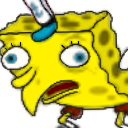
- The 'Sarcasm' (Mocking Spongebob): Instantly translates a mocking tone without saying a word.
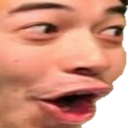
- The 'Hype' (Pog): An exaggerated, wide-mouthed gasp of pure excitement or shock.
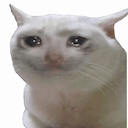
The 'Sorrow' (Crying Cat): A dramatic feline face for when minor inconveniences feel entirely world-ending.
The 'Logic' (Roll Safe): The guy confidently tapping his head, used when sharing terrible but clever advice.

The 'Panic' (This is Fine): A smiling dog in a burning room, perfect for acknowledging daily stress.
Mastering this starter pack guarantees you will always have the perfect, readable response ready to go. Once you know which reactions fit your group's unique vibe, gathering them requires finding high-quality meme PNGs without the usual search hassle.

How many emojis should you have?
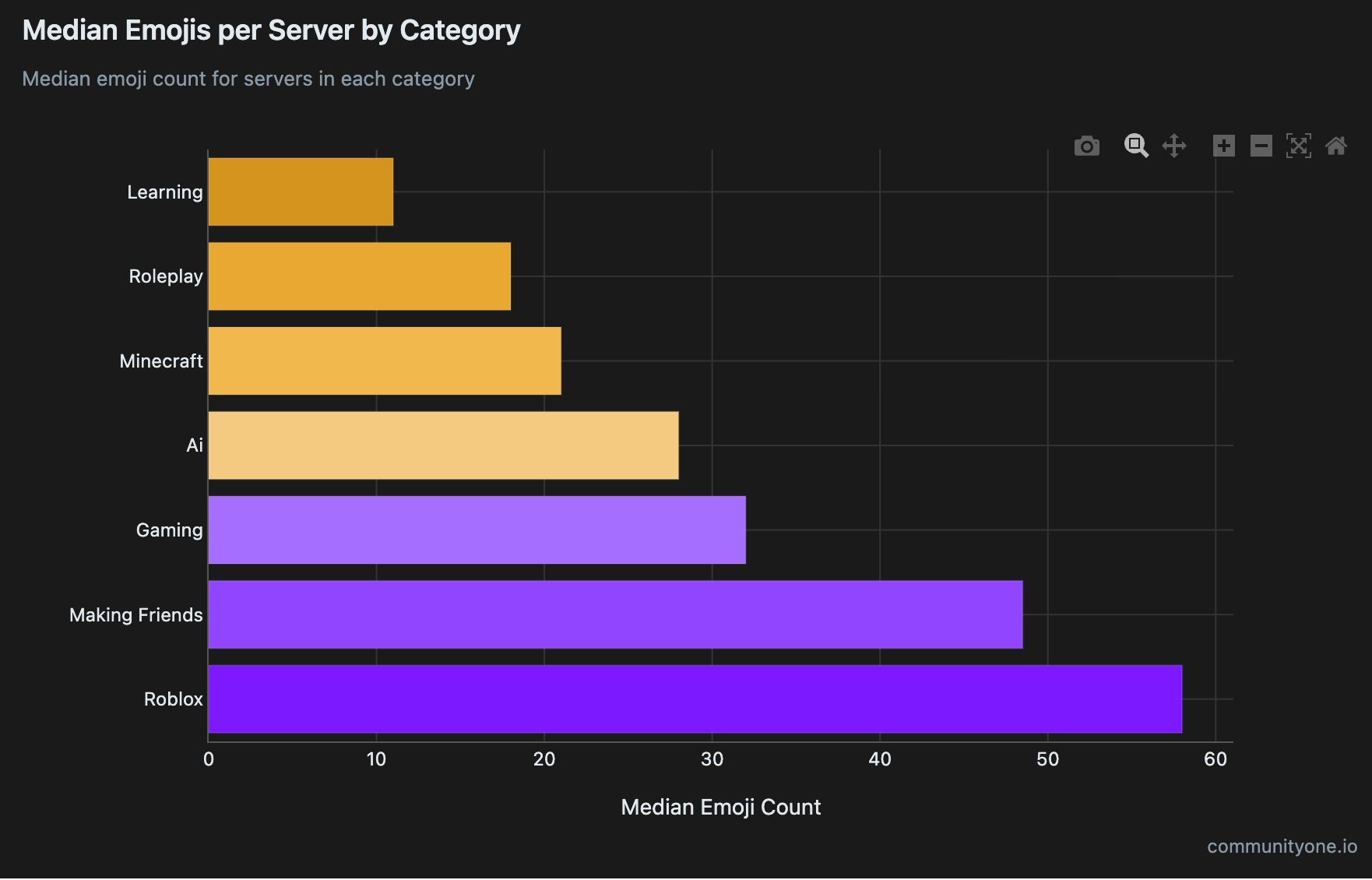
According to CommunityOne analytics, the median number of custom Discord emojis per server is around 32.
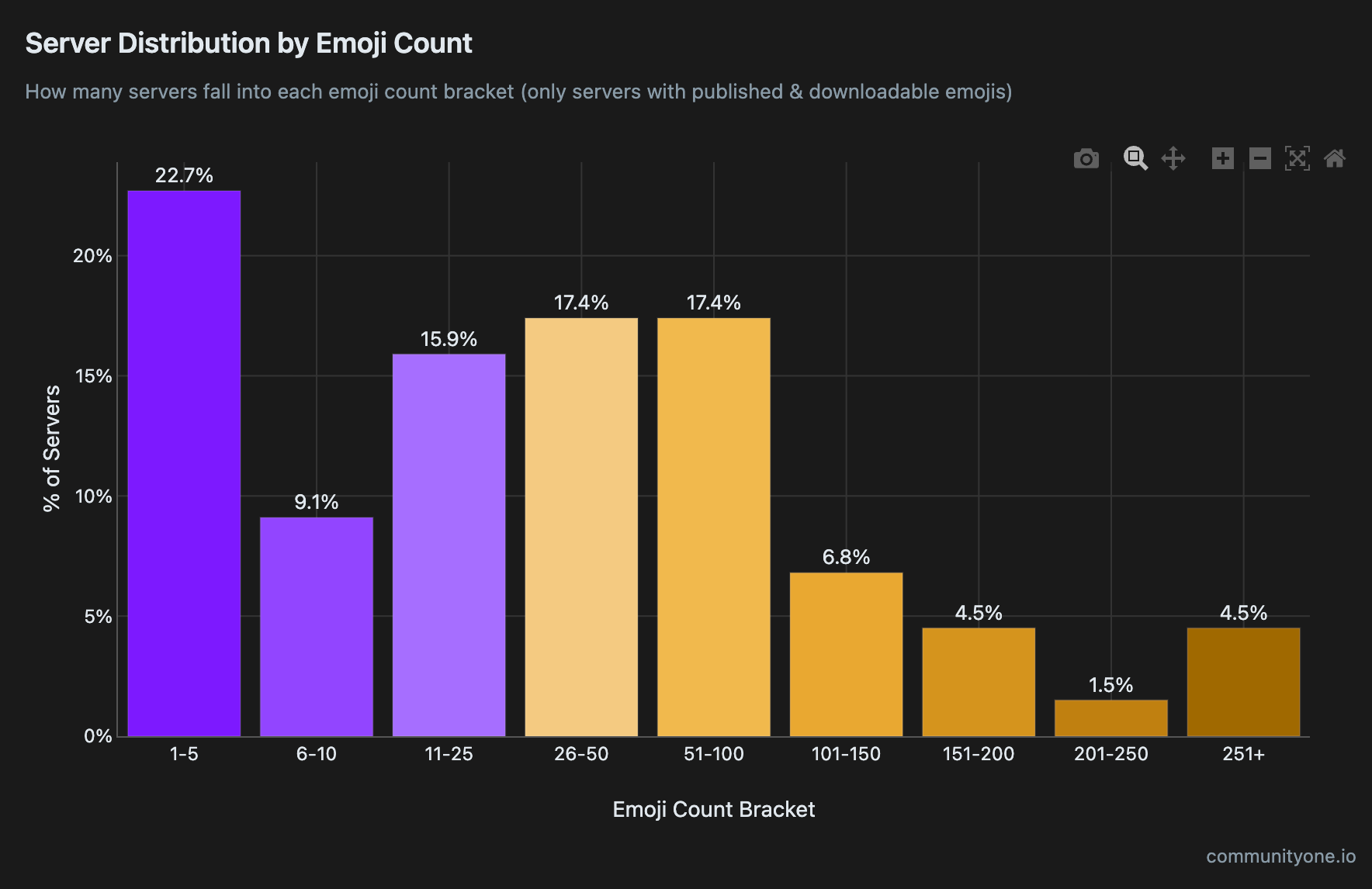
However, this number varies significantly depending on your server's niche. Social and gaming servers — such as those centered around Roblox or making friends — tend to have the highest emoji counts, while more technical or professional servers typically use fewer.
Don't feel pressured to upload 32 emojis all at once. The most effective approach is to start small and scale intentionally. Begin with a focused pack of 5 to 7 funny or expressive emojis that serve a single, clear purpose. As your community grows and members begin naturally incorporating those emojis into their daily interactions, you can gradually expand your collection.
What makes custom Discord emojis truly unique is that their meaning isn't fixed — members organically shape how each emoji is used through repeated, everyday interactions. This is why starting small is actually a strategic advantage: it gives your community the space to build genuine meaning around each emoji before introducing more. Once your initial set feels like a natural part of your server's culture, that's your signal to add the next batch.
Where to Find High-Quality Meme PNGs Without the Search Hassle
Saving a random picture from Google might seem easy, but standard images leave ugly white boxes around your joke, especially in dark mode. To make icons blend naturally into the chat, you need transparent meme pngs for community reactions. These specific png discord meme emojis use invisible backgrounds, ensuring only the funny face stands out without messy borders.
Rather than editing images yourself, you can simply download "emote packs"—pre-made bundles of themed, perfectly sized icons. You can safely browse the top rated discord emoji repositories or figure out where to find free community emote servers using these three trusted sources:
- Emoji.gg: The largest online repository featuring easily searchable categories and trending lists.
- DiscordEmoji.com: An excellent alternative packed with current internet jokes and instant downloads.
- 'Emoji Gallery' Discord servers: In-app communities built specifically to share and organize custom emote bundles.
With the perfect transparent files saved to your device, it is time to officially add them to your digital clubhouse.
You can also skip the search entirely and use a curated collection like the CommunityOne emoji library, which organizes ready-to-use emotes in one place.
How to use emojis in your Discord server
Simply having emojis on your server doesn't guarantee that members will use them — or use them the way you intend. Even within a single emoji category like "funny," different communities can interpret and adopt the same emoji in completely different ways. The same emoji might be used to express care, shared laughter, or even an inside joke unique to your community. That's why building meaning around your server's emojis is one of the most important jobs of a Discord server owner.
To cultivate a strong and recognizable server culture, start by actively using your favorite custom emojis yourself. When members see moderators and admins using emojis consistently, it signals that your server embraces and encourages emoji-driven communication. Another powerful strategy is to use the same emoji repeatedly in similar situations — for example, whenever someone says something silly or funny, react with the same custom emoji every time. Over time, this repetition helps members naturally learn what each emoji means within the context of your specific community, turning a simple icon into a meaningful part of your server's identity.
3 Steps to Uploading Custom Emotes (Without Blurry Results)
Before filling your chat with fresh jokes, you need the right keys to the clubhouse. Provided you hold "Manage Emojis" permissions, learning how to upload custom emotes to discord takes seconds. Just be mindful of space! If you are wondering how many custom emojis can a discord server have, free servers are capped at 50 standard slots. This makes optimizing emoji file size for server limits less about compressing data and more about carefully curating your absolute favorite reactions.
Moving those files from your device into the chat follows this simple process:
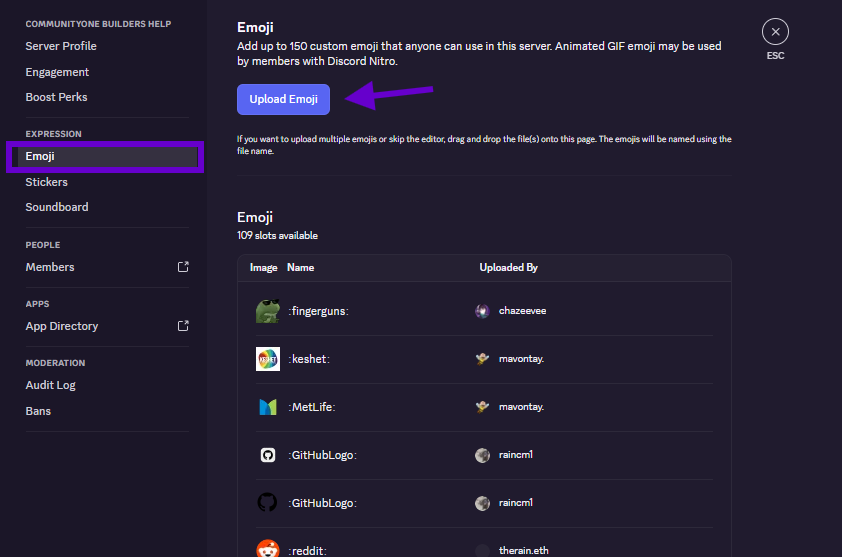
- Open the drop-down menu by clicking your server's name at the top left, then select Server Settings.
- Navigate to the Emoji tab located in the left-hand sidebar.
- Click the purple Upload Emoji button and select your saved image.
Once uploaded, the app automatically shrinks your image to a tiny 32x32 pixel square. Therefore, fixing blurry discord emoji icons depends entirely on using high-contrast, zoomed-in pictures rather than wide, complex shots. With your server stocked with crisp, hilarious reactions, sharing them elsewhere requires looking into broader ecosystem features.
Nitro vs. Global Emotes: How to Use Your Memes Everywhere
Feeling restricted because your custom emojis are locked to just one server? That is where Discord Nitro comes in. Think of this premium subscription as a VIP pass for your digital expressions. Without it, you are limited to specific rooms, but Nitro unlocks the ability to use your personalized reactions everywhere, including private direct messages.
Image Source: Discord
Upgrading completely changes how you interact online. Here is what you gain compared to a free account:
- Cross-server usage: Take your private server jokes into any other community.
- Animated GIF emojis: Choose between animated nitro emojis vs static stickers to add movement to your punchlines.
- Larger file limits: Upload higher-quality images without heavy compression.
If a paid subscription isn't for you, browser add-ons offer an incredible alternative for PC users. By integrating 7TV and BTTV extension emotes, you access massive libraries of popular twitch emotes used on discord entirely for free. These tools seamlessly blend broader internet culture directly into your chat window.
Keeping Your Server Culture Fresh
Curating your own digital inside jokes actively increases user retention with themed server emotes that make members feel right at home.
Pro-tip: don't guess what your friends want to see. Ask your community to vote on the best dank meme emote packs, then implement a monthly rotation strategy to keep conversations fresh and engaging. Upload a few favorites today, and watch your server's unique language come to life!