How to Grow Your YouTube Channel With Discord: A Guide for Creators

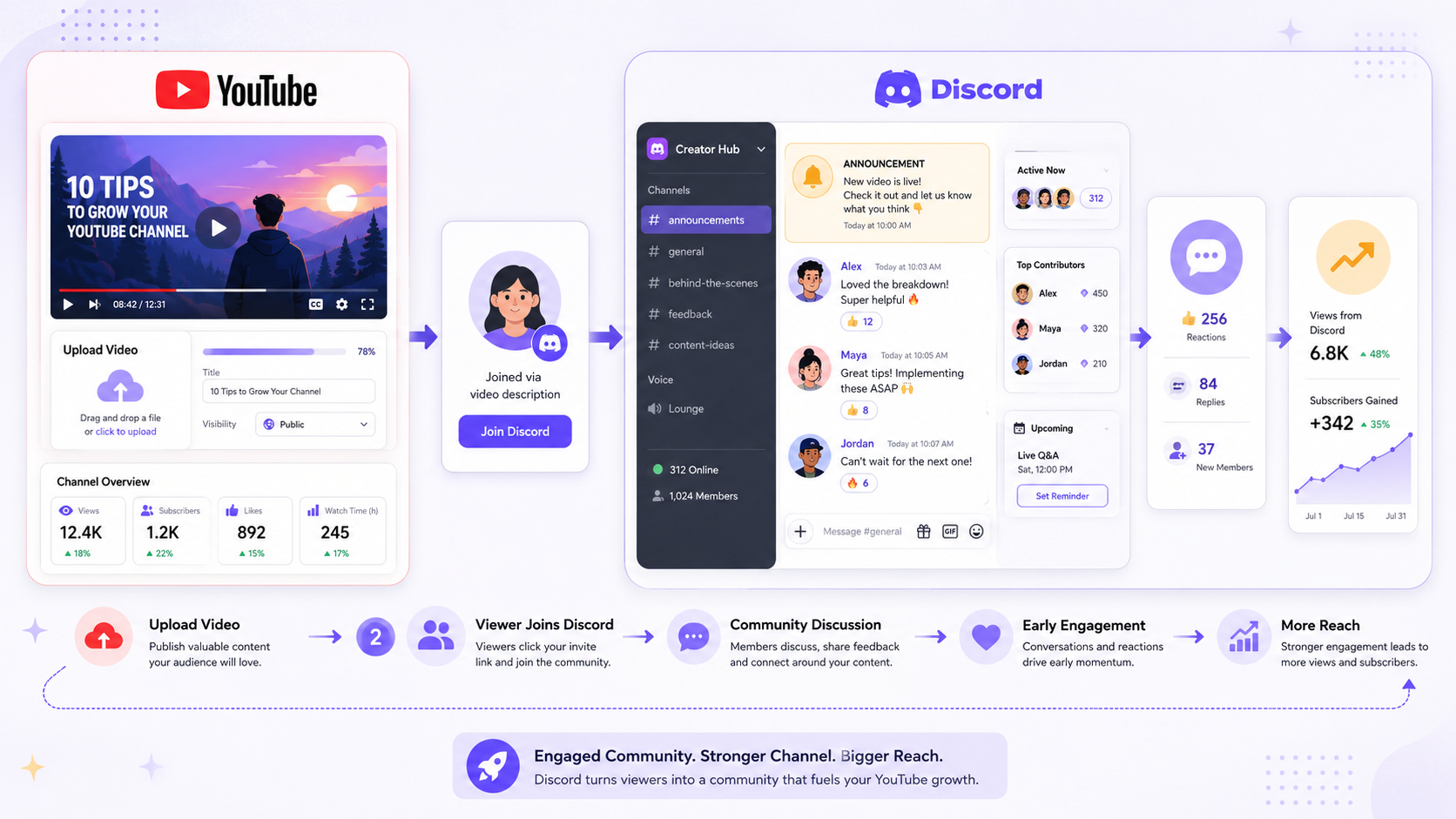
YouTube rewards creators who build communities, not just audiences. The difference matters: an audience watches and leaves. A community watches, discusses, shares, and keeps coming back. Discord has become one of the most effective tools for making that transition, and creators who use it strategically see measurable results in both engagement and channel growth.
This guide covers how to use Discord for your YouTube community, practical discord server ideas for YouTubers, and how to turn your server into a genuine channel growth asset.

Your most active viewers are already showing you what works.
CommunityOne Analytics helps you track member trends, engagement patterns, and server health so you can understand what keeps your creator community active.
Why Discord Works for YouTube Creators
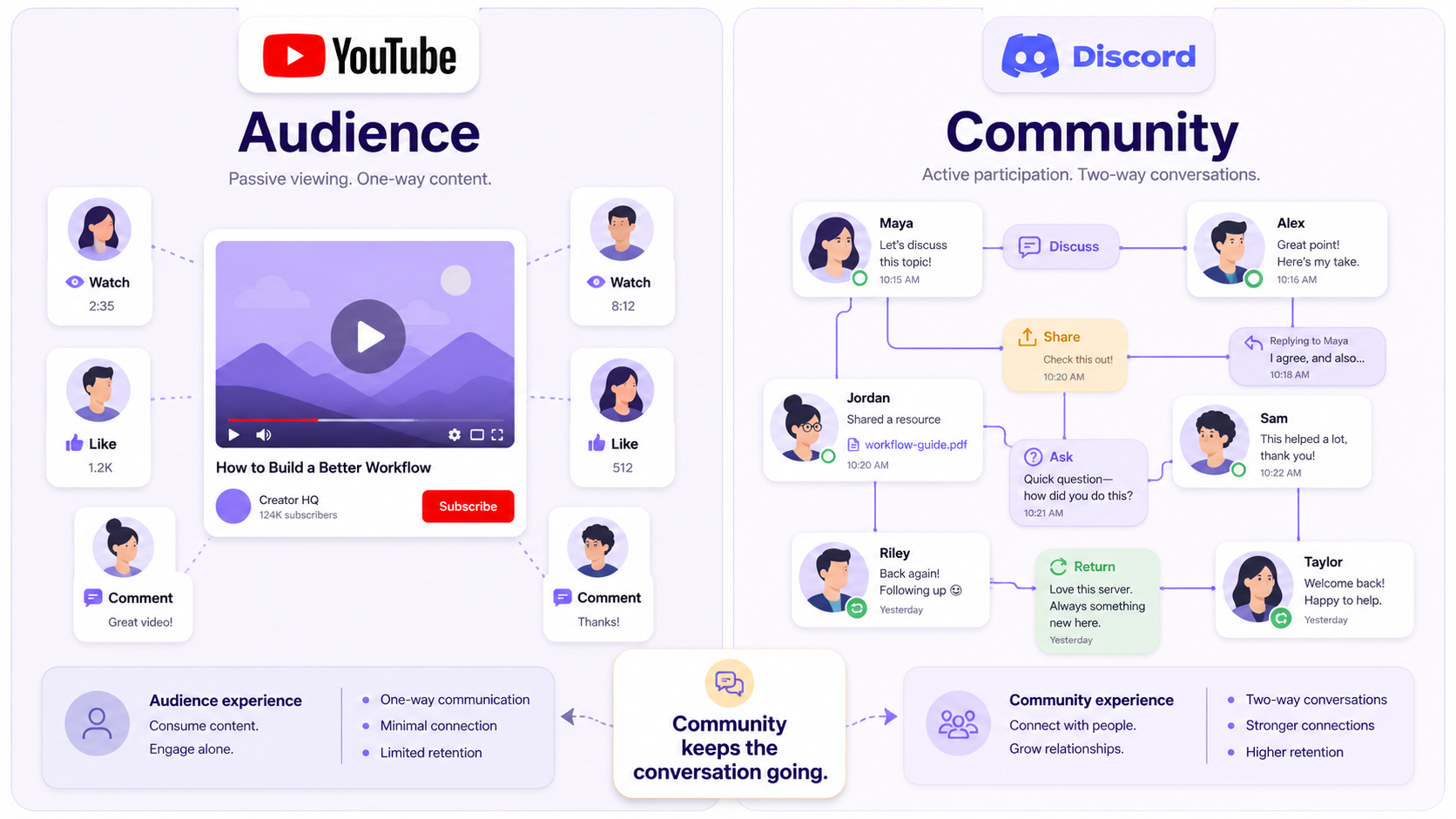
The core problem with YouTube as a community platform is that it is not designed for conversation. Comments are linear, context-free, and buried under an algorithm that surfaces the most-upvoted responses rather than the most meaningful ones. YouTube's community tab helps but is limited in interactivity. Your subscribers are watching the same videos but not talking to each other.
Discord changes that dynamic. It gives your audience a place to have ongoing conversations with each other and with you, in real time, organized by topic, with a sense of shared membership. Members of your Discord server are not just subscribers. They are participants in something.
That distinction has a concrete impact on growth. Members who are active in your community are more likely to watch your videos promptly after upload, more likely to leave comments and boost early engagement signals, more likely to share your content, and more likely to remain subscribed over time. YouTube's algorithm responds to early engagement, which means a smaller, highly active Discord community can meaningfully outperform a much larger passive subscriber base in terms of video performance.
Setting Up a Discord Server for YouTubers
The structure of your server should reflect the structure of your content and your community's interests. Resist the urge to create dozens of channels on day one. Start with a focused set and expand based on what your members actually use. If you want to go deeper on visual identity and server design once the bones are in place, this guide to customizing your Discord server covers everything from channel organization to branding.
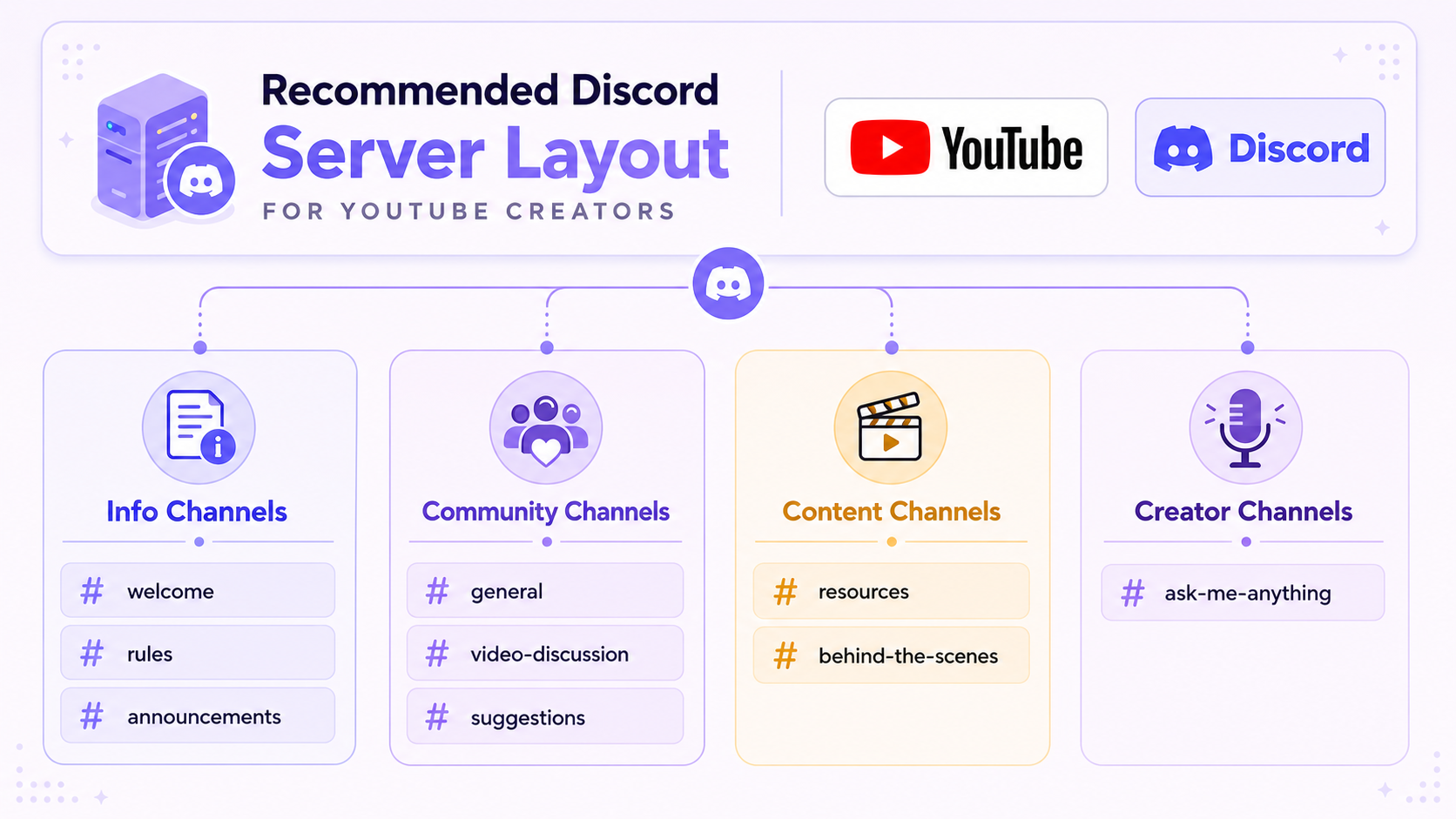
A practical starting structure for a Youtube creator discord server might look like this:
Information channels (read-only for members)
- #welcome -- What the server is, what members can expect, and how to get started
- #rules -- Community guidelines
- #announcements -- New video uploads, upcoming streams, creator updates
Community channels
- #general -- Open conversation
- #video-discussion -- A dedicated space to talk about specific videos
- #off-topic -- Conversation that falls outside your main content area
Content-adjacent channels
- #suggestions -- Where members can submit ideas for future videos
- #fan-art -- If your audience creates content related to yours
- #resources -- Links, tools, or materials related to your content niche
Creator-specific channels
- #behind-the-scenes -- Share WIPs, production updates, or things that did not make the final cut
- #ask-me-anything -- A designated space for direct questions to you
This structure gives new members a clear entry point and gives active members multiple reasons to engage. It also keeps your video-discussion channel distinct from general chat, which makes it more useful as a space for substantive conversation about your work.
How to Use Discord for YouTube Community Building
The most important principle is that your Discord server is not a promotional channel. Creators who treat their server primarily as a place to announce uploads quickly find that members stop paying attention. You are building a community, which means members need to feel like the server has value independent of your upload schedule.
Show up in the server. Your presence matters. Even a few minutes a day of genuine conversation signals to members that the server is worth their time. You do not need to be available constantly, but you do need to be visibly present.
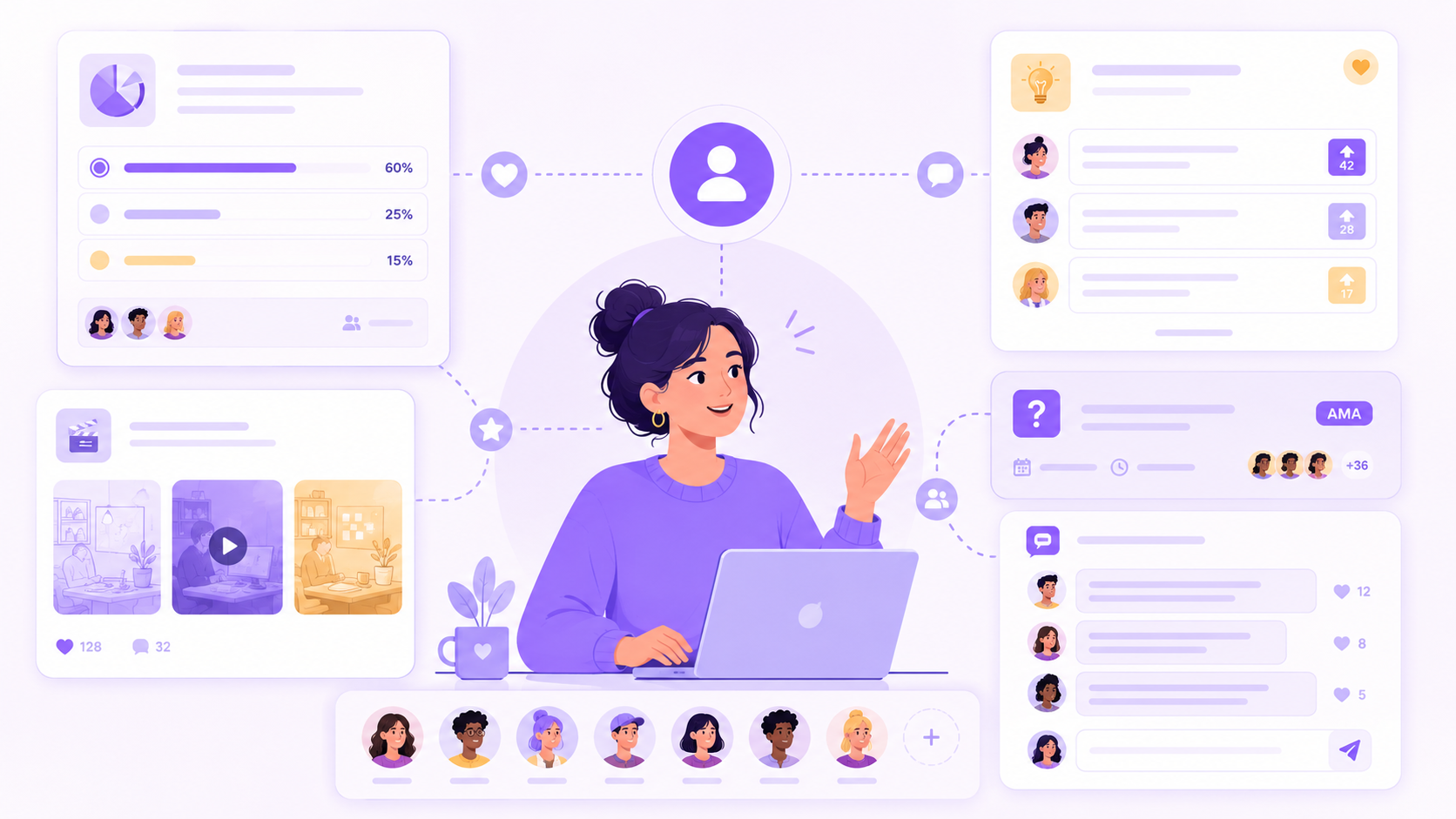
Create content that originates in Discord. Use your #suggestions channel to source video ideas and then credit the member publicly in the video or in a pinned Discord message. Run polls in your server before making creative decisions. Share things that did not make the cut. Give Discord members a sense that being part of the server gives them access to something they would not get from just subscribing.
Use Discord for research. Your most engaged audience members are in your server. They are the people who care enough about your content to join a separate platform for it. Their preferences, questions, and opinions are signal. Ask directly. "What do you want to see more of?" asked sincerely and with genuine follow-through builds remarkable goodwill.
Coordinate watch-alongs and events. Discord's stage channels and voice channels support creator events like watch-alongs, Q&As, and community gaming sessions. These high-engagement moments create memories that members associate with your community and your brand. F
or a full breakdown of what works and how to run them, see 15 Discord Event Ideas to Boost Server Activity and this step-by-step guide to creating unforgettable Discord events.
How to Grow Your YouTube Channel With Discord: The Growth Loop
Discord contributes to YouTube growth through a reinforcing loop that works like this.
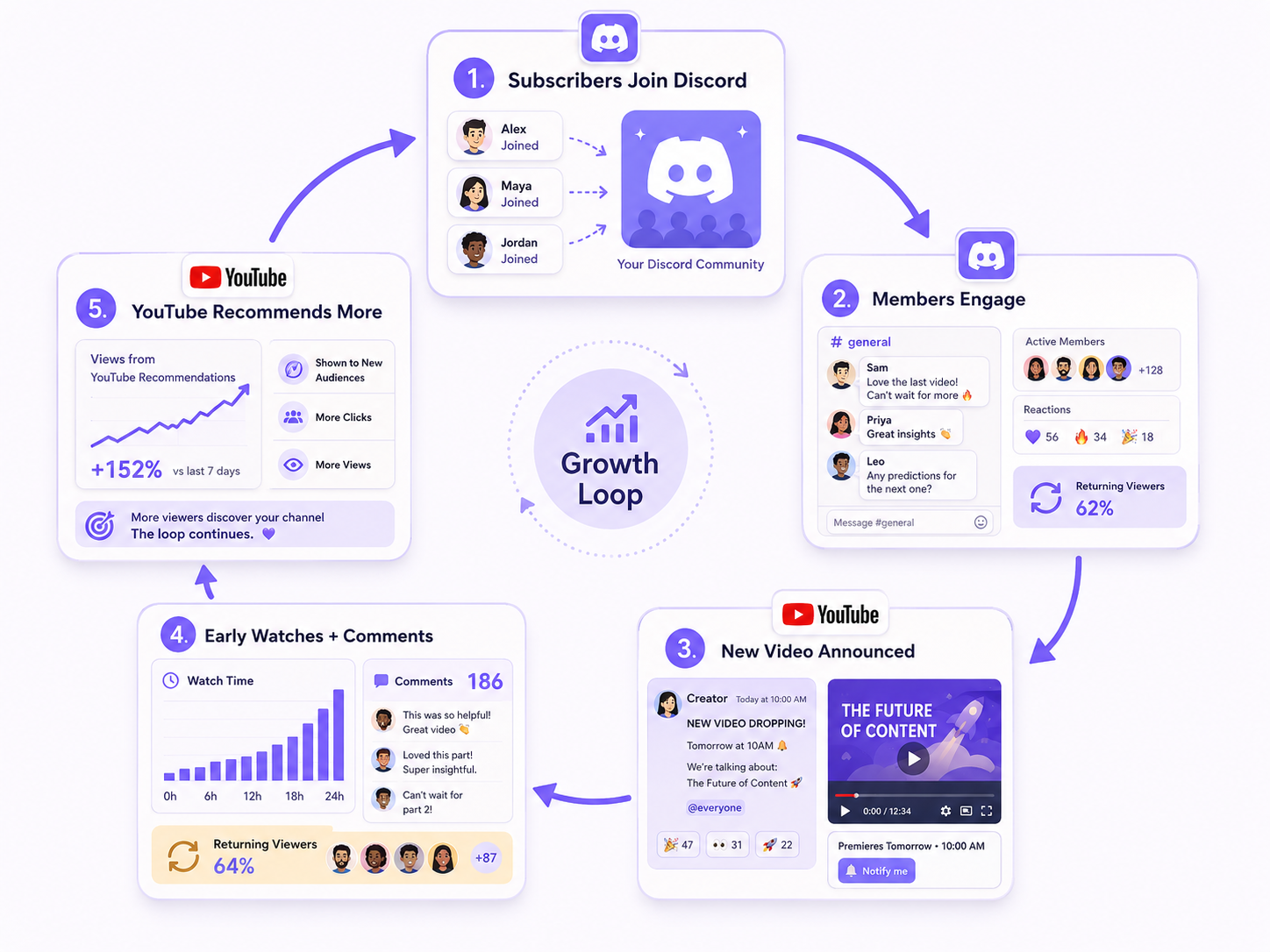
Your most engaged subscribers join your Discord. Inside the server, they become more invested in your content and more connected to each other. When you upload a new video, you announce it in #announcements. These members watch promptly, which boosts your early engagement rate and sends positive signals to YouTube's algorithm. Higher early engagement increases distribution. Broader distribution brings new subscribers. Some of those new subscribers join the Discord, and the loop continues.
The key to making this loop work is the quality of the server experience. If the Discord feels empty, spammy, or not worth engaging with, members will not participate consistently and the loop breaks. The server has to offer genuine value. Understanding what makes a community genuinely strong rather than just active is worth reading alongside this guide.
Discord Server Ideas for YouTubers by Content Category
Here are specific channel and feature ideas organized by content type.
Gaming YouTubers
- Dedicated channels per game or game type your channel covers
- A #clips channel where members share their own gameplay clips
- A gaming night coordination channel and regular voice events
- A role system based on the games members play, so they can find each other
Educational or Explainer Channels
- A #deep-dive channel for extended discussion of video topics
- A #resources channel with supplementary reading or tools
- A #study-group or #accountability channel for members working on the skills you teach
- An AMA format using Discord's forum channels
Lifestyle, Vlog, or Personal Brand Channels
- A #daily-chat channel for ongoing conversation independent of upload schedule
- Member milestone or achievement channels (#celebrating-wins)
- A book club, recommendation list, or shared activity tied to your content theme
- A members-only tier (using Discord's subscription or role monetization) for closer access
Review or Commentary Channels
- A #what-should-i-review channel for member suggestions
- A #hot-takes channel for community debate
- A dedicated space for members to share their own takes on the topics you cover
Managing Your Server as It Grows
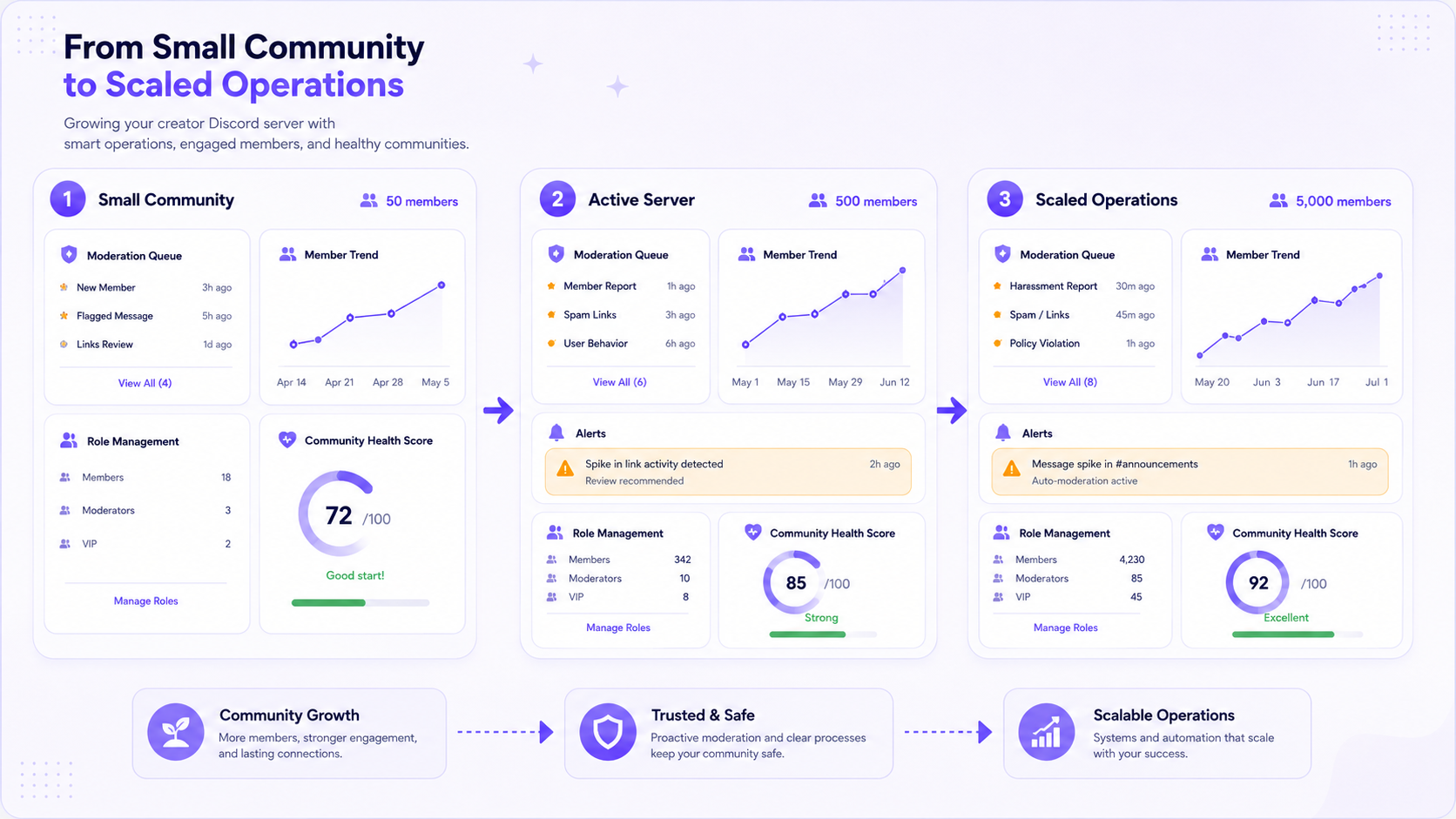
A server with 50 members runs itself. A server with 5,000 needs a moderation plan. As your channel grows and your server scales with it, invest in moderation infrastructure early. This guide to the best Discord moderation bots is a good place to start understanding your options.
The creators who successfully build communities on Discord treat the server as part of their content strategy, not an afterthought. They allocate real time to it, structure it intentionally, and measure it as a growth asset.
Platforms like CommunityOne are building specifically for creators and enterprise teams who want to manage community operations at scale with better tooling than Discord provides natively. As creator communities grow into genuine business assets, the infrastructure supporting them needs to grow with them.
Starting Small, Scaling Intentionally
You do not need a large subscriber base to launch a Discord server. In fact, it is easier to build community culture when the server is smaller. The norms, tone, and structure you establish in the first few hundred members tend to persist as the server scales.
Open a server, invite your most engaged subscribers with a genuine pitch for why the community will be worth their time, and focus on making those first interactions feel valuable. Growth follows engagement, not the other way around.
Help the right members find your Discord community.
List your server on CommunityOne and reach people looking for active, well-run Discord communities around creators, content, and shared interests.