Discord Knowledge Base Bot: Turn Your Docs Into Instant Discord Answers

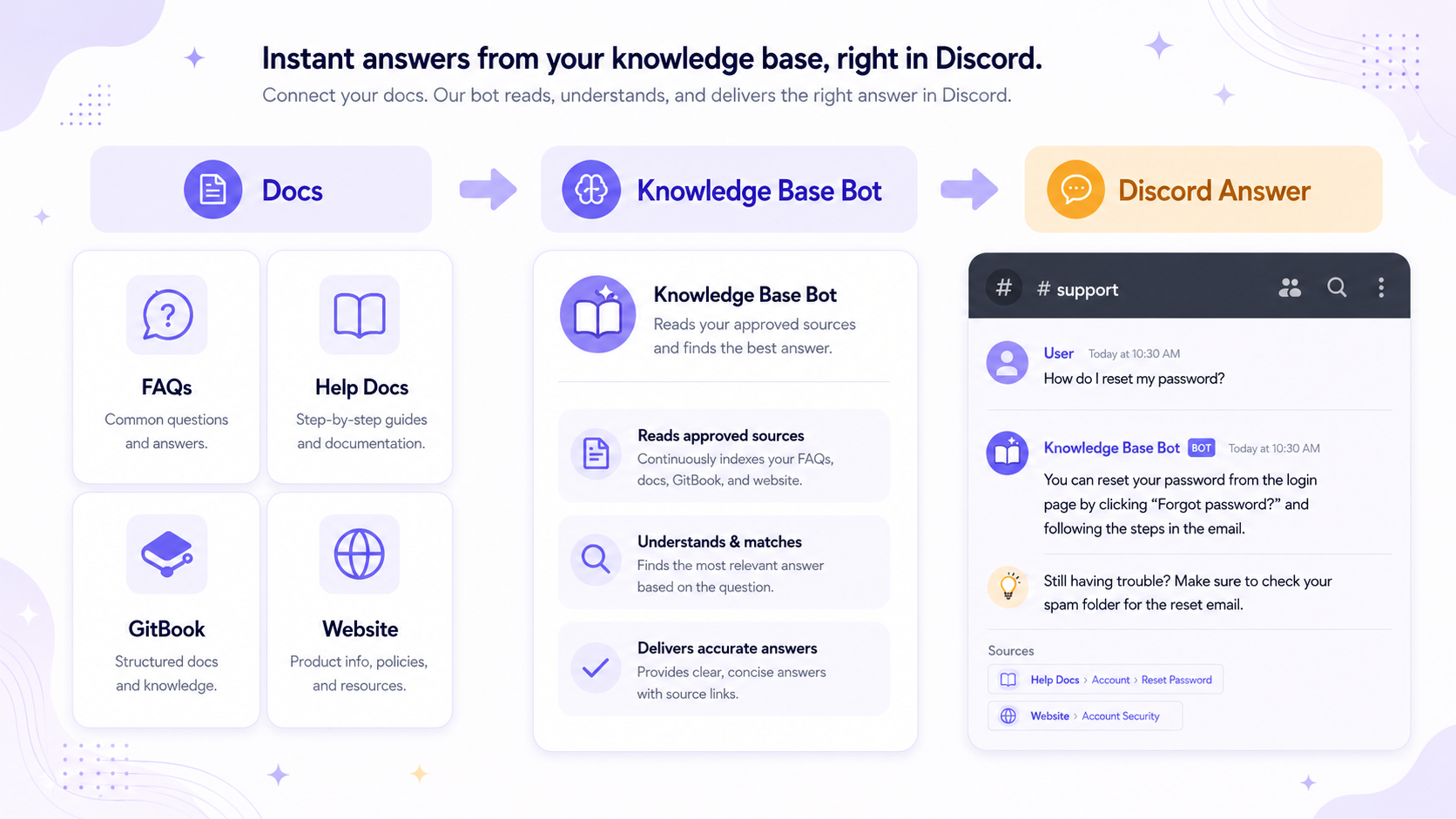
A Discord knowledge base bot helps your community get answers from your existing documentation without making members dig through long pages, pinned messages, or old announcements.
For many servers, the answers already exist. The problem is that members do not know where to find them. A knowledge base bot solves this by bringing those answers directly into Discord.
If your team already has FAQs, help docs, product pages, GitBooks, or support articles, CommunityOne Spark can help turn that information into answers.

Your docs already have the answers. Spark brings them into Discord.
CommunityOne Spark helps members ask questions naturally and get answers from your approved FAQs, docs, and server information.
What is a Discord knowledge base bot?
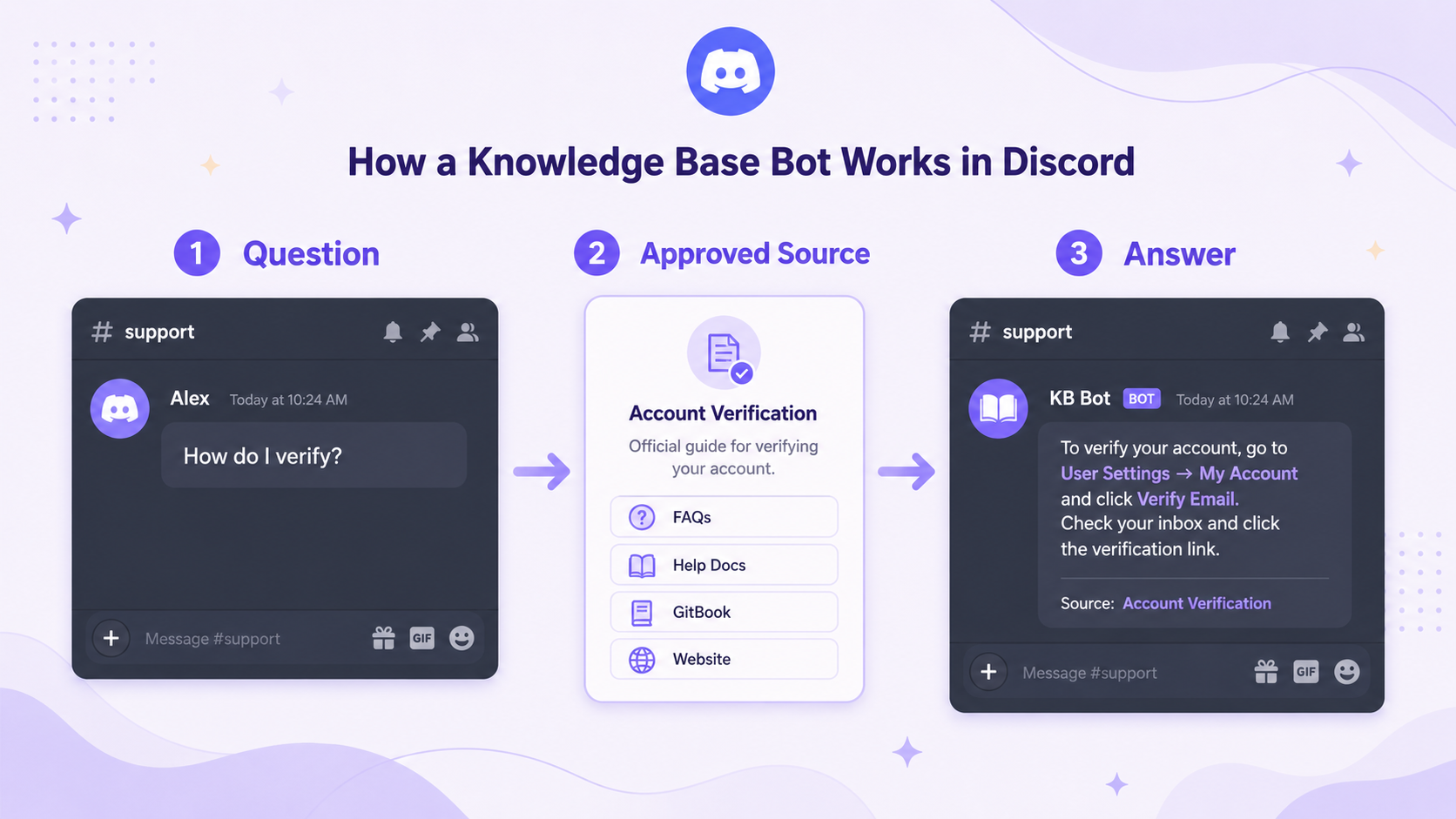
A Discord knowledge base bot is a bot that answers questions inside Discord using information your team has already approved.
Unlike a basic command bot, it is not limited to simple triggers like !rules or !faq. A knowledge base bot can answer more natural questions, such as:
- “How do I connect my account?”
- “Where can I find the setup guide?”
- “How do I open a support ticket?”
- “Where are the official links?”
- “What should I do if verification is not working?”
Instead of forcing members to search through multiple channels or pages, the bot gives them a direct answer where they are already asking.
Why Discord servers need a knowledge base bot
Discord support gets messy when information is scattered.
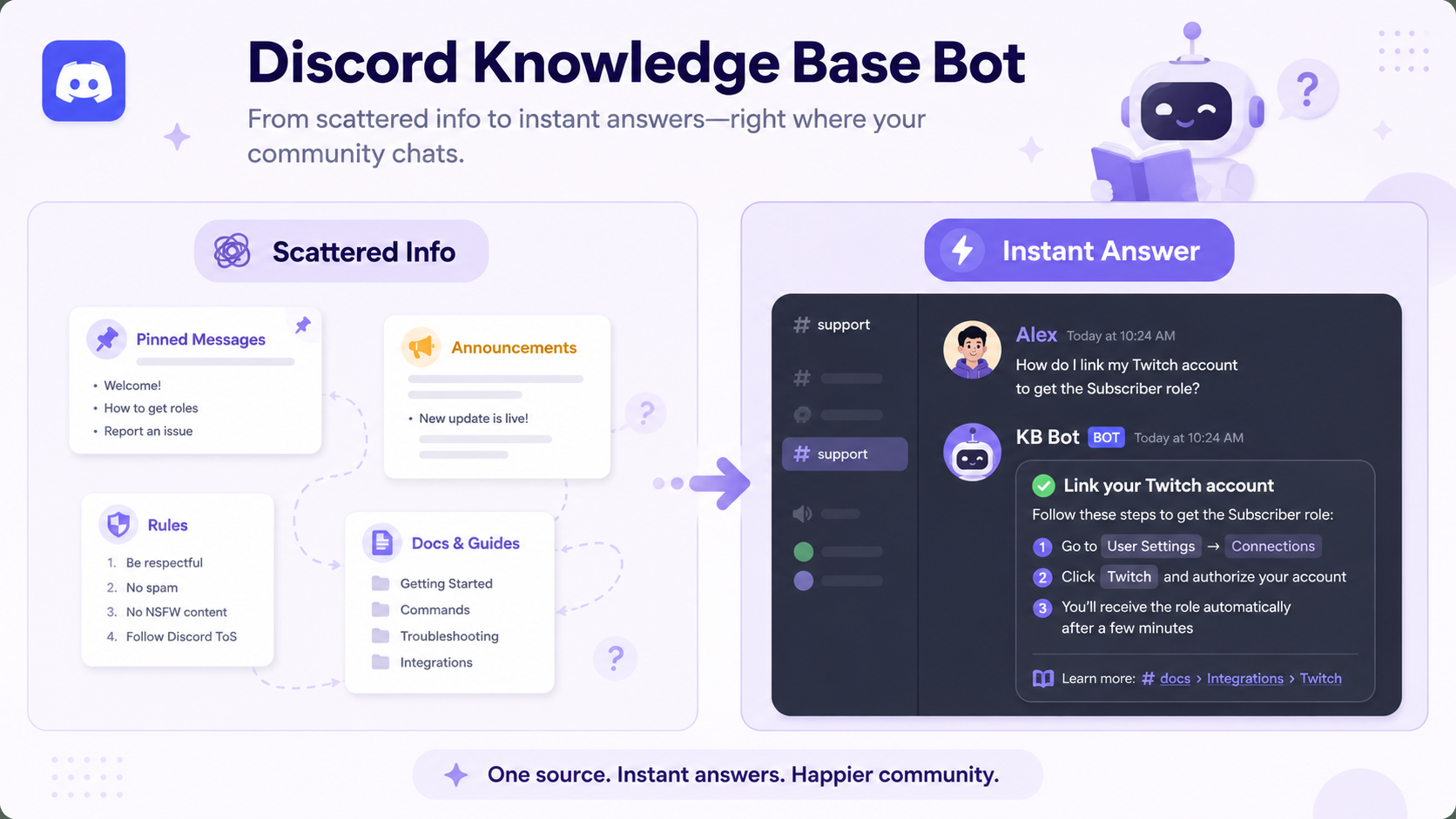
A server may have answers across:
- Rules channels
- Announcement posts
- Pinned messages
- Forum threads
- Help center articles
- Product docs
- GitBook pages
- Website FAQs
Members usually do not want to search through all of that. They ask in chat instead. That creates repeated work for moderators and support teams.
A Discord knowledge base bot reduces that friction by making your existing information easier to access.
For a broader look at AI support inside Discord, CommunityOne’s guide to the best Discord AI bots explains how Spark can learn from server documentation, wikis, and FAQs to answer member questions.
What sources can a knowledge base bot use?
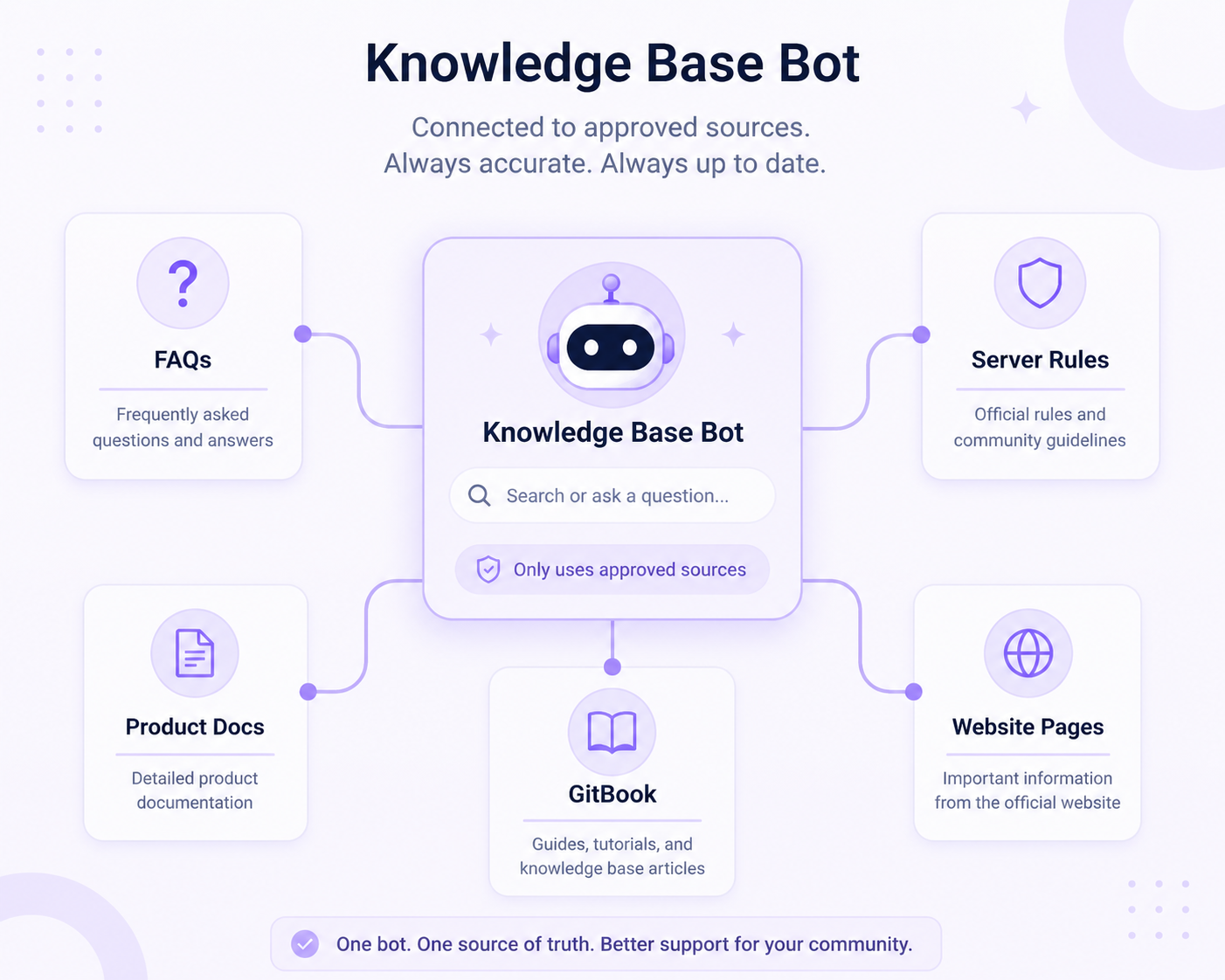
A strong knowledge base bot starts with clean source material.
Useful sources include:
- FAQs
- Server rules
- Onboarding guides
- Help center articles
- Product docs
- GitBooks
- Website pages
- Support instructions
- Event details
- Troubleshooting guides
The more organized your source material is, the better the bot can answer.
If your community also supports users through your website, our Chatbot for Website blog explains how a chatbot can answer from a knowledge base and connect users back to Discord when needed.
Knowledge base bot vs FAQ bot
A FAQ bot is best for short, repeated questions.
A knowledge base bot is better when your server has more detailed information, such as product docs, technical guides, support articles, or a large help center.
Here is a simple way to compare them:
| Need | Best fit |
| Simple repeated questions | FAQ bot |
| Natural questions from members | Knowledge base bot |
| Product or technical docs | Knowledge base bot |
| Private support issues | Ticket bot |
| Billing, refunds, appeals, or safety reports | Human support |
If your team needs private support workflows, CommunityOne’s guide to the best Discord ticket bots is a useful companion.
What should a Discord knowledge base bot answer?
Start with the questions your team already answers every week.
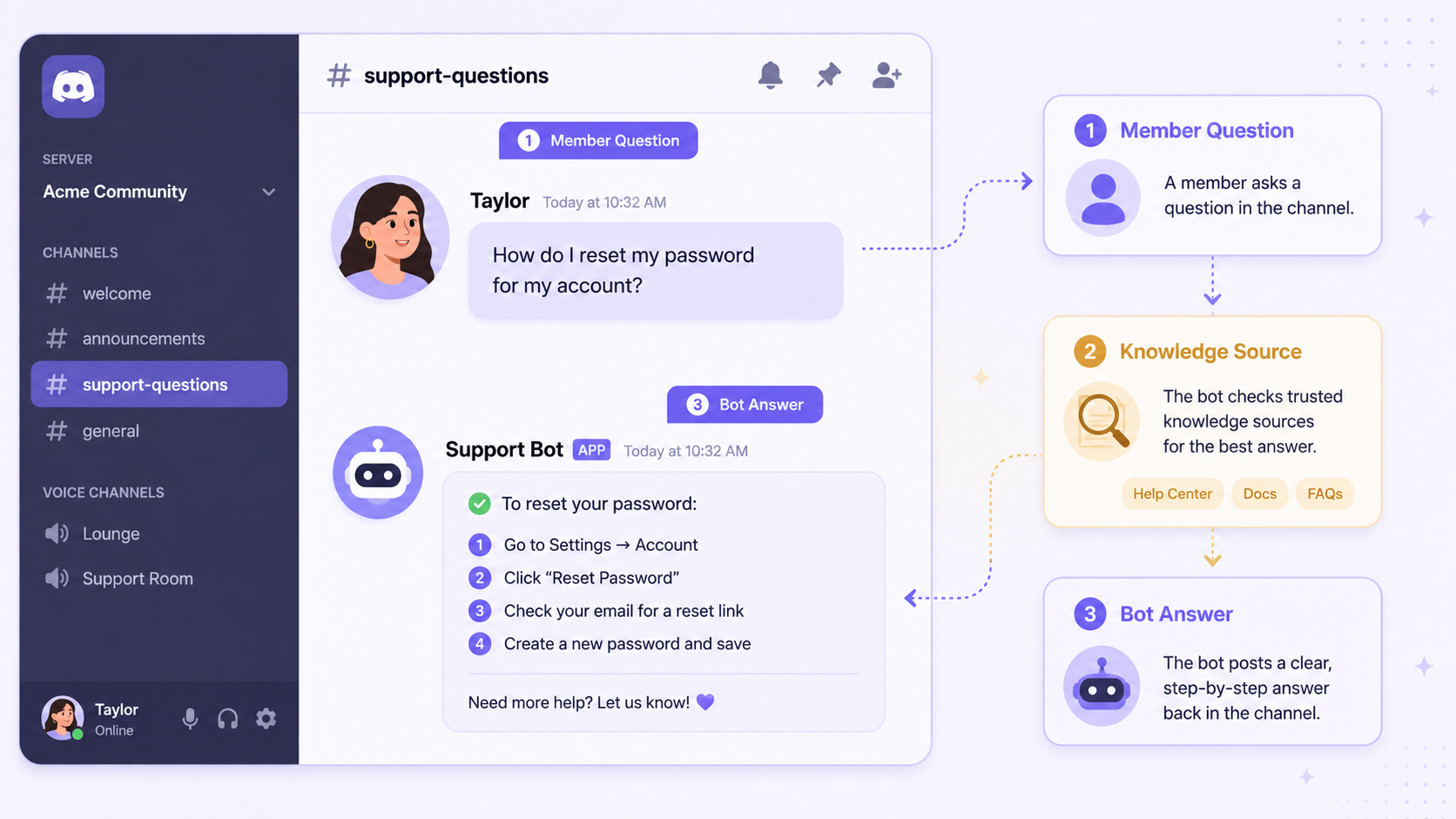
Good examples include:
- How to verify
- How to get started
- Where to find official links
- How to use a product feature
- Questions about documentation
- How to troubleshoot common issues
- How to join an event
- How to contact support
- What to do if something is not working
Avoid using the bot for sensitive issues that require human judgment.
How to keep answers accurate
A knowledge base bot should answer from trusted sources, not guess.
To keep answers accurate, use official docs only, remove outdated pages, keep FAQs updated, review unanswered questions, add missing answers regularly, and make escalation paths clear.
If the bot keeps failing on the same topic, the problem is usually not the bot alone. It may mean your documentation needs a clearer answer.
When should the bot escalate to a human?
A Discord knowledge base bot should escalate when the answer is not in the knowledge base, the member asks for a person, the issue involves billing or refunds, the issue involves account access, the member is angry or confused, the topic involves bans or appeals, or the question needs a team decision.
Automation should handle the repeated first layer. Human support should still handle sensitive or judgment-heavy issues.
How CommunityOne Spark helps
CommunityOne Spark helps Discord communities turn approved knowledge into instant answers inside the server.
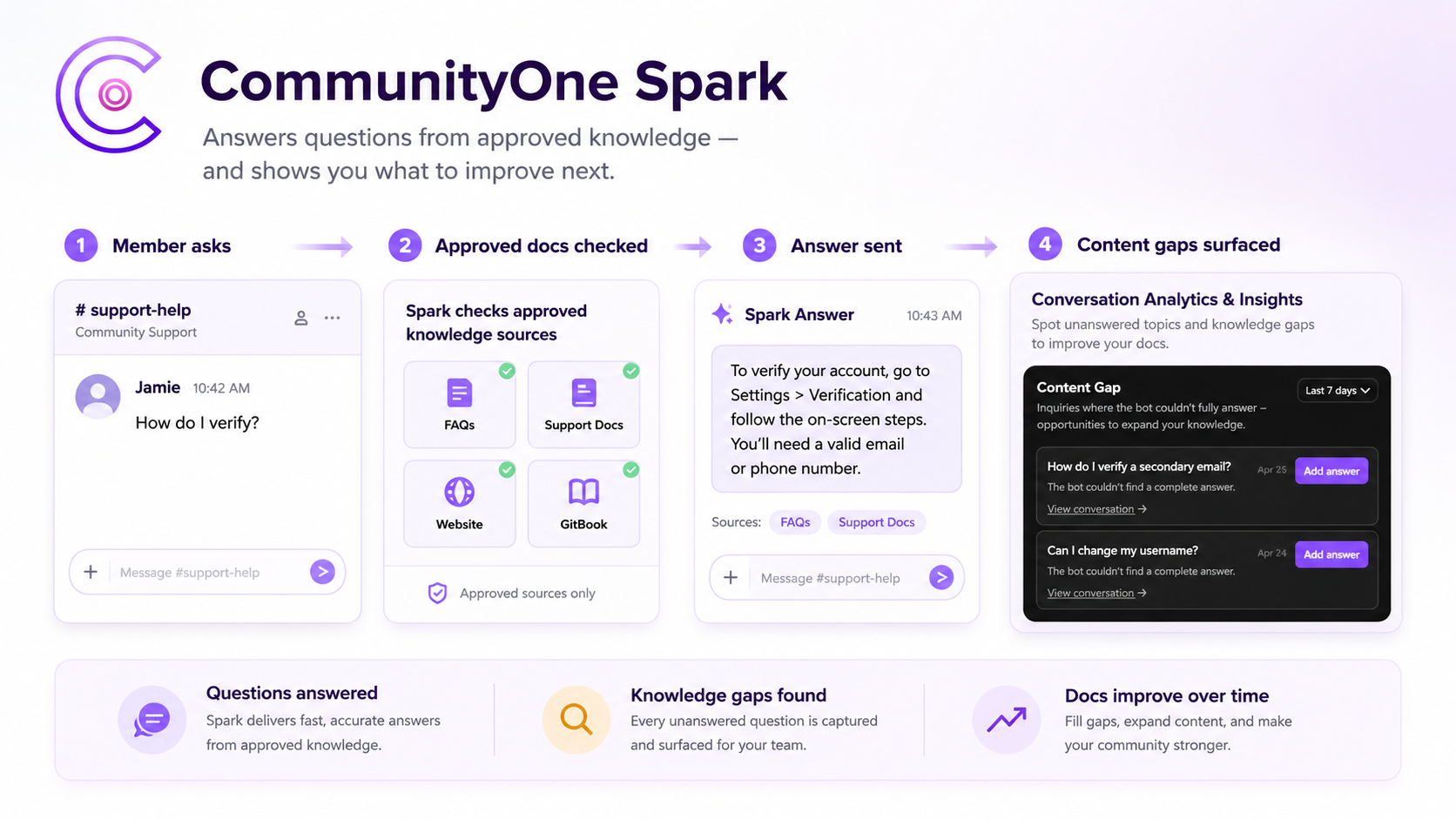
Instead of making members search through docs, pinned messages, announcement posts, or old support threads, Spark lets them ask questions directly in Discord. The bot can respond using the knowledge sources your team connects, such as help docs, FAQs, GitBooks, website pages, Notion pages, GitHub repositories, text files, and live Discord channel history.
Spark also has a Discord Knowledge Discovery feature – trusted members or approved authors can help teach the bot through real answers shared in chat. When the right people answer questions in Discord, Spark can use those answers to improve the server’s knowledge base over time. This helps reduce the manual work of copying every useful answer into a separate FAQ.
For support teams, Spark can work as the first layer of help. It can answer repeated questions quickly, step in when moderators are unavailable, and hand off to humans when a question needs judgment, account access, billing support, appeals, or a private conversation.
Spark works best when your community has a clean support setup: approved knowledge sources, organized channels, clear escalation paths, and human moderators for sensitive issues. Used this way, it helps members get answers faster while reducing repeated work for the team.
What knowledge sources can Spark use?
Spark can pull from different types of approved knowledge, depending on how your community stores information.
Common Spark knowledge sources can include website pages, GitBook docs, GitHub repositories, Notion pages or databases, YouTube content, text files, live Discord channel history, FAQs and support documents, server rules, and onboarding guides.
This matters because most communities do not keep all their answers in one place. Product teams may use GitBook, developers may use GitHub, community teams may use Notion, and moderators may answer questions directly in Discord.
A stronger Discord knowledge base bot should connect those sources instead of forcing the team to rebuild everything from scratch.
Turn repeated support questions into instant answers.
CommunityOne Spark reduces repetitive moderator work by answering from trusted knowledge sources and escalating when human help is needed.
FAQ
What is a Discord knowledge base bot?
A Discord knowledge base bot is a bot that answers questions inside Discord using approved information such as FAQs, docs, help articles, or server guides.
Is a knowledge base bot better than a FAQ bot?
A FAQ bot is better for simple repeated questions. A knowledge base bot is better when your server has deeper docs, technical guides, or many possible support questions.
Can a Discord bot answer from a website?
Yes, some AI-powered bots can answer from approved website pages, docs, or help center content.
Can a knowledge base bot replace moderators?
No. It can reduce repeated support work, but moderators are still needed for sensitive issues, conflict, appeals, and decisions that require judgment.
What should I put in a Discord knowledge base?
Start with FAQs, rules, verification steps, official links, onboarding guides, support instructions, product docs, and troubleshooting answers.