How to Find Fun and Active Discord Servers

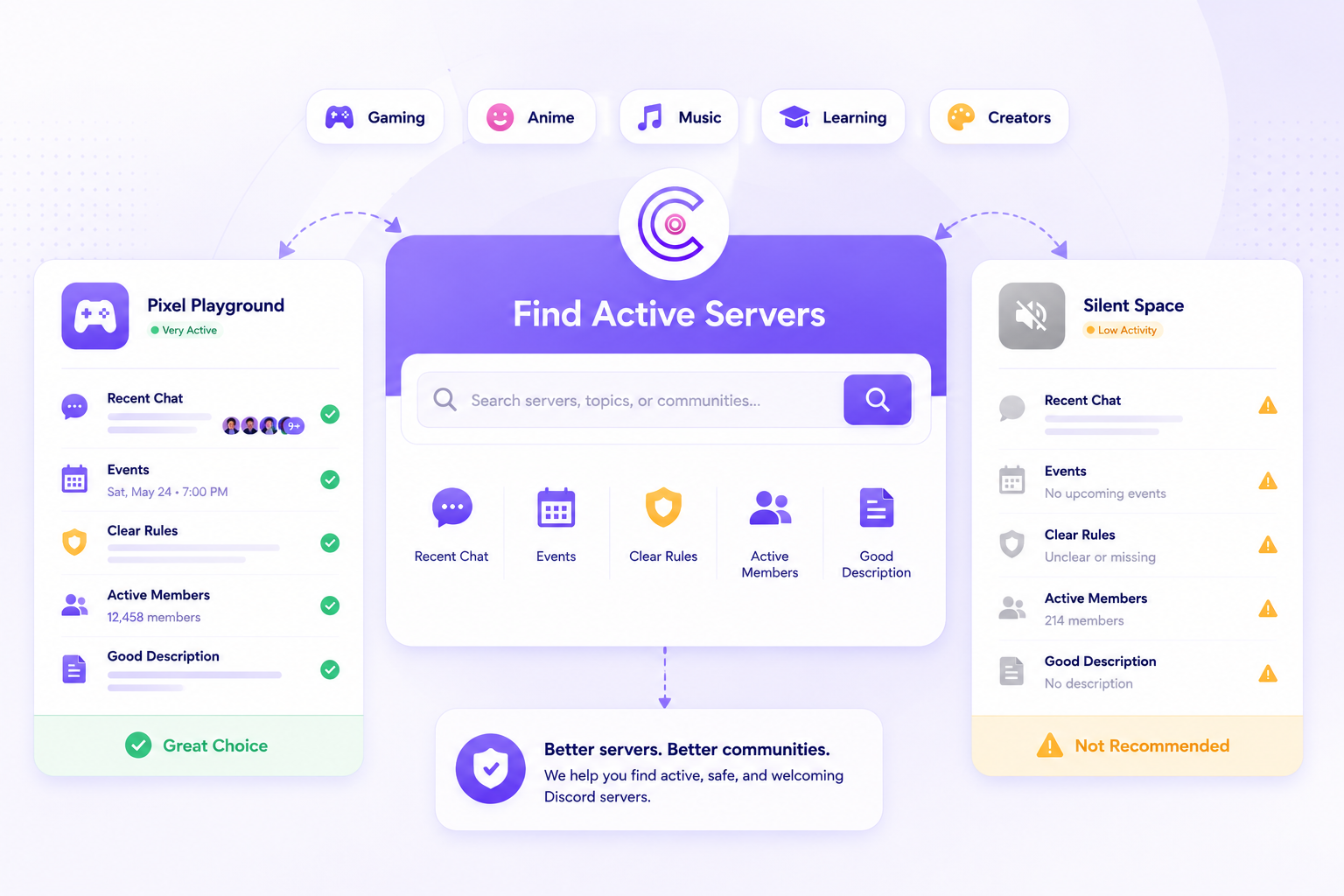
Finding a Discord server is easy. Finding one that is actually fun, active, and worth joining is harder.
A lot of servers look good from the outside. They have a large member count, a clean banner, and a long description. But once you join, the chat is quiet, the channels are confusing, or the last real conversation happened days ago.
The better way to find Discord servers is to look for signs of real activity, clear community purpose, and recent conversations. A good Discord server should feel alive before you even say hello.
You can start by browsing public communities through the CommunityOne Discord server list, then compare servers based on category, activity, description, and overall community fit.

A well-run Discord server is easier to discover.
List your community on CommunityOne and help new members find your server through a clearer public listing, relevant tags, and better discovery signals.
What Makes a Discord Server Fun?
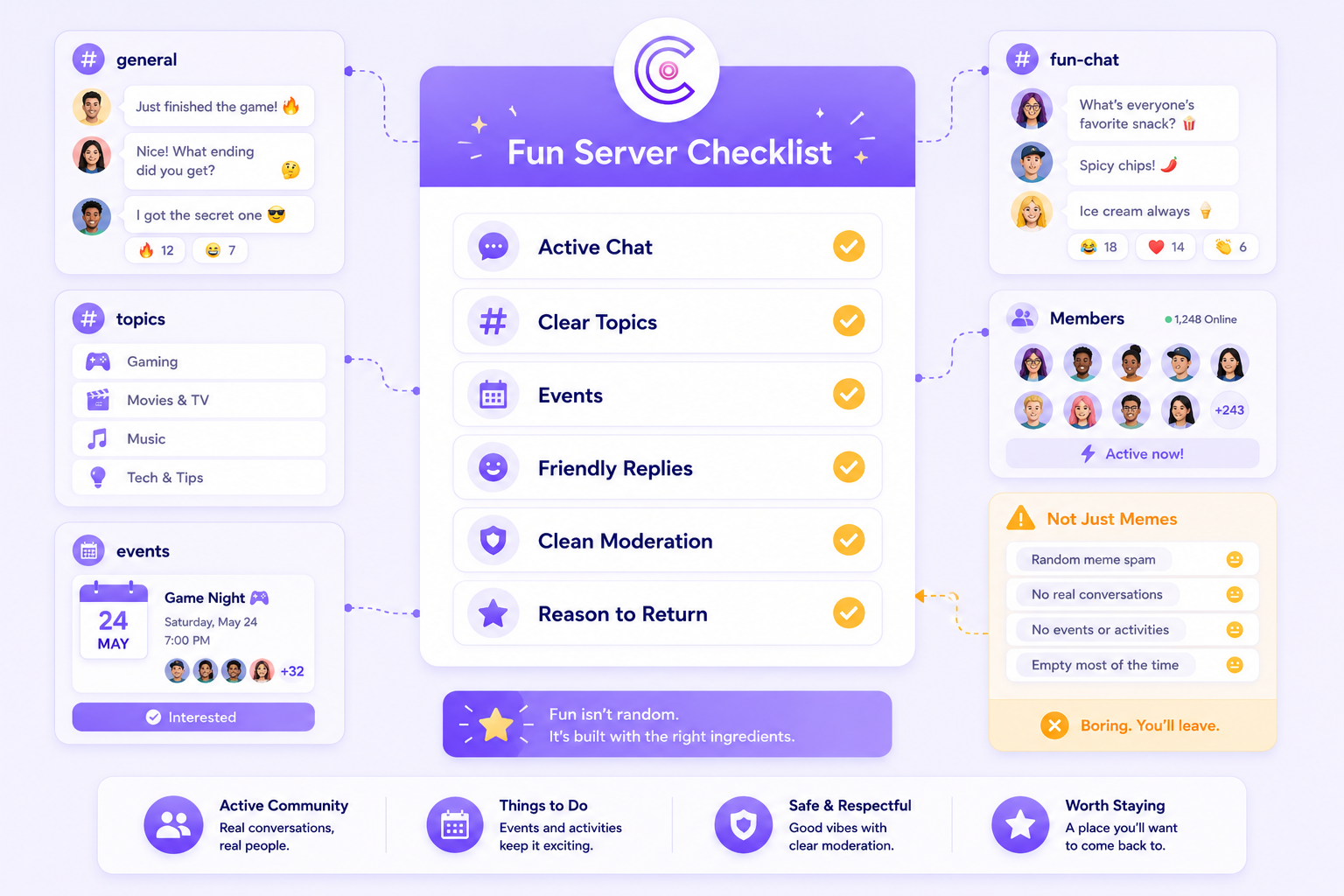
A fun Discord server is not just a server with memes and random chat.
The best ones usually have a clear reason for people to come back. That could be gaming, anime, music, crypto, learning, creator updates, events, or just a strong social community.
A fun server usually has:
- Active general chat
- Channels with clear topics
- Members who actually respond to each other
- Events, prompts, or discussions
- Moderators who keep the space clean
- A clear reason to join beyond “we are a community”
A server does not need thousands of members to be fun. Sometimes smaller communities are better because people actually recognize each other.
If you run a server yourself, this is also why growth should not only be about getting more people in. It should also be about creating a space people want to stay in. We covered this more in our guide on how to grow a Discord server with better structure, onboarding, and retention.
How to Tell If a Discord Server Is Active
Member count can be misleading.
A server with 50,000 members can still feel empty if only a few people talk. On the other hand, a server with 300 members can feel active if people are chatting daily. Before joining a server, look for better signs of activity.
1. Recent Messages
If a server listing shows recent updates, events, announcements, or forum activity, that is a good sign. It means the community is not just listed and forgotten.
A server that publishes useful updates gives visitors a better preview of what actually happens inside the community.
2. Clear Server Description
A good server description should answer a few basic questions:
What is this server about?
Who is it for?
What happens inside?
Why should someone join?
If the description is vague, the community experience may feel vague too.
For server owners, this is one of the easiest things to improve. A strong listing works like a landing page for your server. We talk more about this in our guide on how to grow your Discord server with organic reach strategies.
3. Organized Channels
An active server should be easy to understand.
New members should know where to introduce themselves, where to ask questions, where to chat, and where to find updates.
Too many empty channels can make a server feel dead, even if there are members inside. A few active and well-named channels are usually better than a long list of unused ones.
For a deeper setup guide, read our article on how to build Discord community servers that people actually engage with.
4. Real Conversations
Activity is not just about message volume.
A good server has real back-and-forth conversations. Members reply to each other, ask questions, share updates, and react naturally.
This is different from a server where people only drop links, spam promotions, or post one-word messages with no actual community feel.
5. Healthy Member Growth
Server size matters less than server health.
A growing server should have people joining, staying, and participating. If a server gets new members but nobody talks, the growth may not be meaningful.
For server owners, it is useful to understand what your member count really means. Our guide on Discord member count and growth trends explains why total members alone do not tell the full story.
Best Ways to Find Discord Servers
There are a few common ways to find new Discord servers.
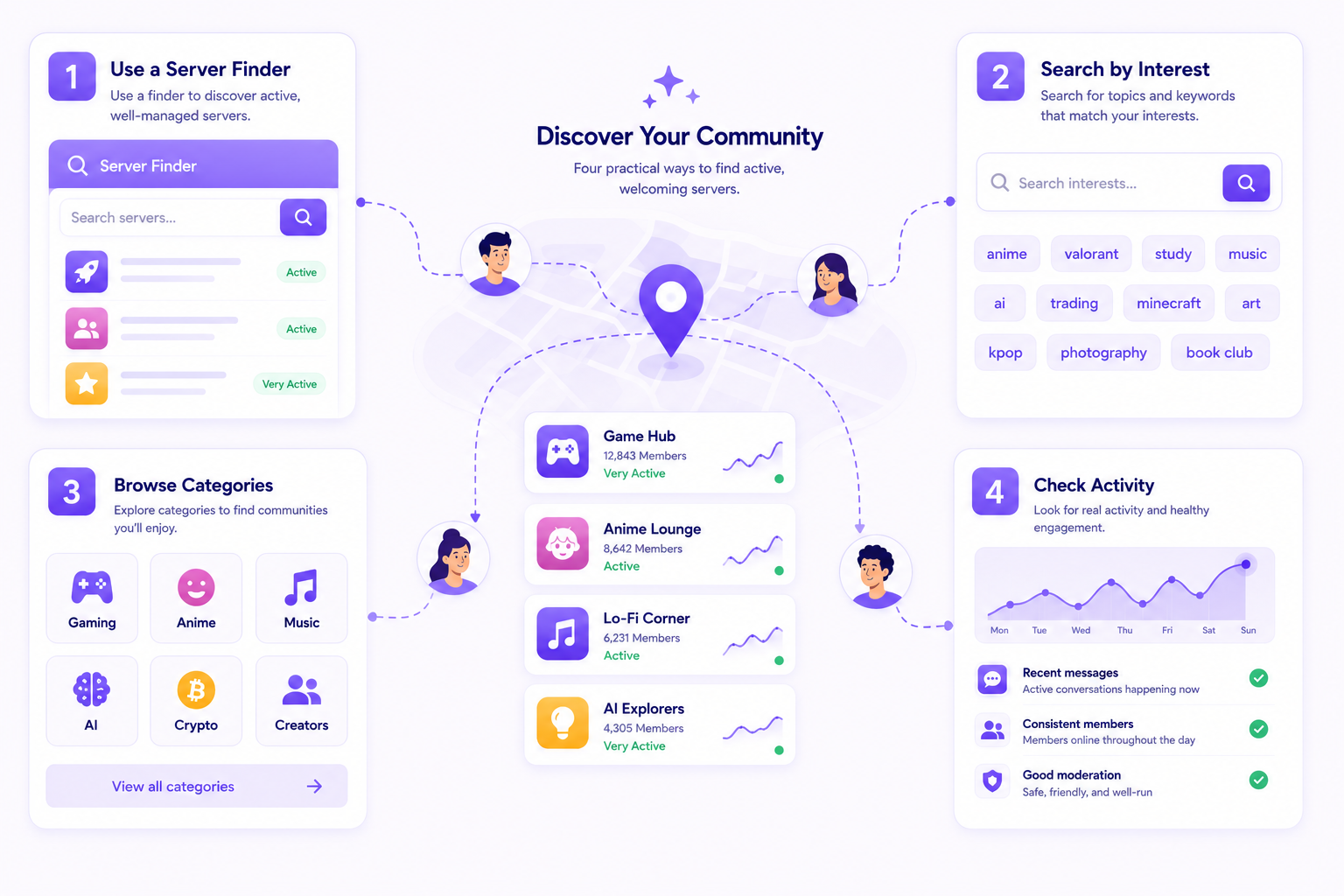
Use a Discord Server Finder
A Discord server finder helps you browse public communities by topic, category, language, or activity.
The CommunityOne Server Listing lets users browse different Discord communities and discover servers based on their interests.
This is useful because you are not just clicking a random invite link. You can compare communities before joining and get a better sense of what each server is about.
Search by Specific Interest
Instead of searching for “fun Discord servers,” try searching based on what you actually want.
For example:
- Anime Discord server
- Minecraft Discord server
- Roblox trading Discord server
- AI Discord community
- Music production Discord server
- Crypto Discord server
- Creator Discord server
- Making friends Discord server
Specific searches usually lead to better communities because they match what you actually want to talk about.
If you are a creator, you can also use Discord as a community layer around your content. We covered this in our guide on how to grow your YouTube channel with Discord.
Browse by Category
Categories make discovery easier because they group similar communities together.
If you are browsing casually, start with broad categories like gaming, anime, music, learning, art, Web3, or creator communities. Then narrow down based on the server description and activity.
For server owners, choosing the right category matters because it helps the right people find your community. CommunityOne’s server growth guide explains how better listings and engagement signals can help your server get discovered.
Look for Activity, Not Just Size
Large servers are not always better.
When choosing between two servers, pick the one with stronger activity signals, clearer rules, and better onboarding. A smaller active community is usually better than a massive quiet one.
A good server should make it easy to understand:
- What the community is about
- Where new members should start
- What people usually discuss
- How active the community is
- What kind of behavior is expected
How to Avoid Dead Discord Servers
A dead Discord server usually has warning signs before you even join.
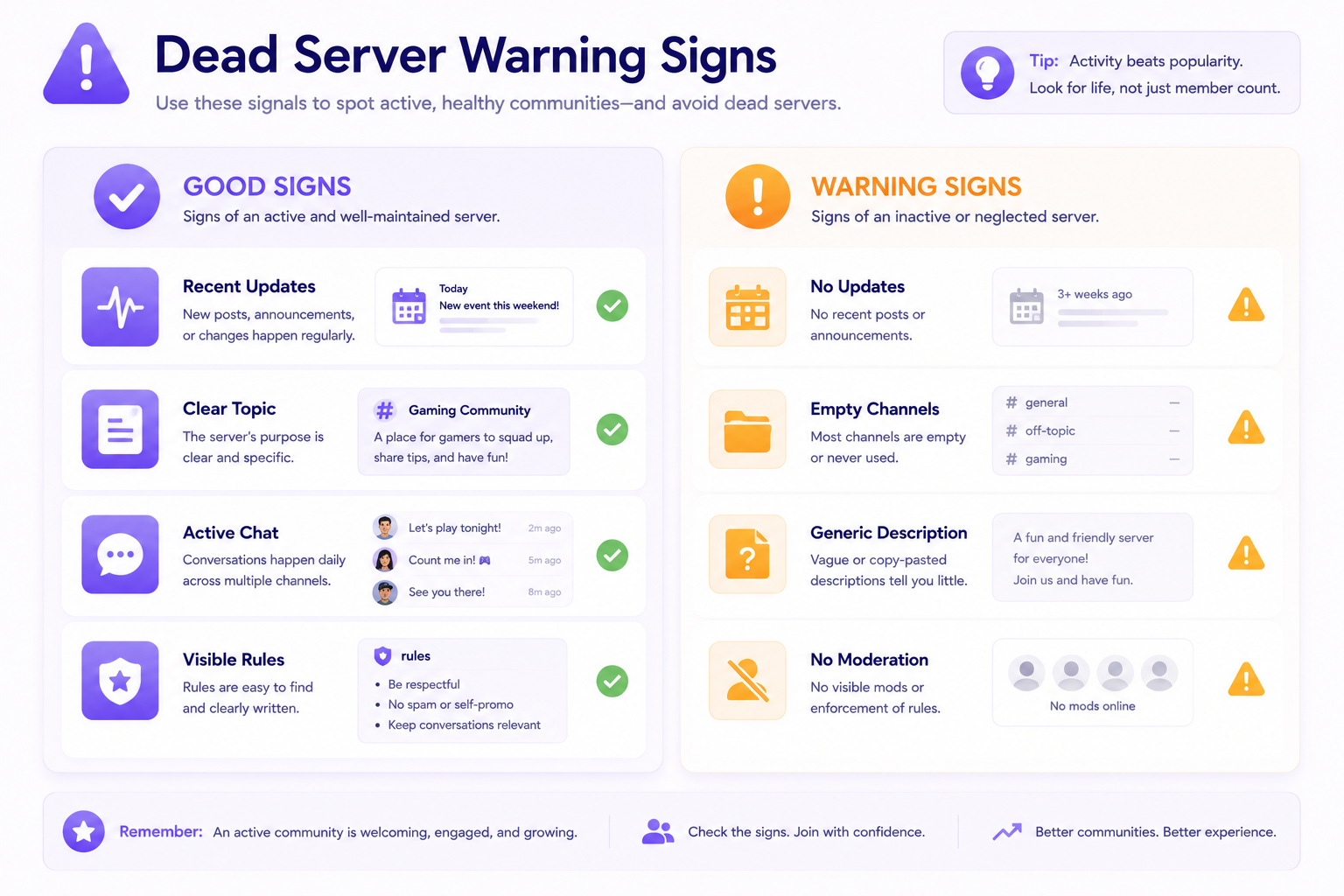
Watch out for:
- Generic descriptions
- No recent updates
- No clear topic
- Too many empty channels
- No visible moderation
- Huge member count but weak activity
- Invite links with no context
If the server does not explain why people should join, it probably will not give people a strong reason to stay either.
This is also why server owners should avoid focusing only on member count. Real growth comes from discoverability, onboarding, and retention. Our article on Discord server analytics explains which metrics are more useful to track.
Tips for Server Owners: How to Make Your Server Easier to Find
If you run a Discord server, discovery starts before someone joins.
Your listing should act like a landing page. It should clearly explain what your community is, who it is for, and what members can expect.
A strong listing should include:
- A clear server name
- A specific description
- Accurate category
- Relevant tags
- Recent announcements or events
- Active channels
- Beginner-friendly onboarding
Customizing your server also helps visitors understand the community faster. That includes your layout, branding, channels, banners, and emojis. For more ideas, read our guide on how to customize your Discord server like a pro.
You can also improve your server culture with custom emojis. They help members build shared jokes, reactions, and identity. We covered this in our guide on how to create custom Discord emojis for your server.
Why Discovery Matters for Discord Communities
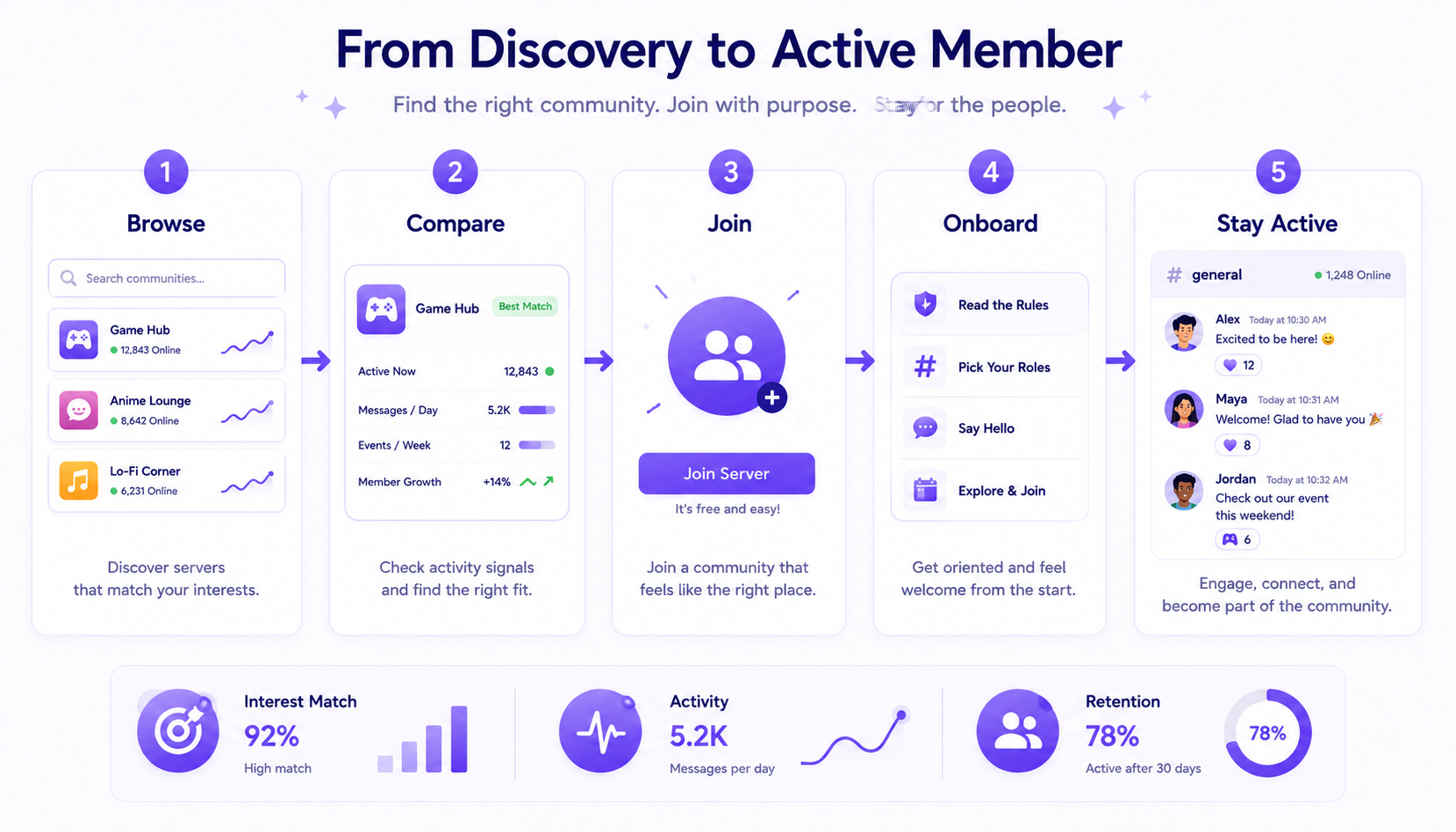
Discord is great for conversation, but discovery is still a challenge.
Many great communities stay hidden because people do not know how to find them. At the same time, many servers get members but struggle to keep them active.
That is why a good discovery setup needs both sides:
For users, it should be easy to find servers that match their interests.
For server owners, it should be easy to explain what the community offers.
CommunityOne helps with this by giving Discord servers a public listing that can show what the community is about, help users browse by interest, and give server owners more ways to be discovered outside Discord.
Final Thoughts
The best Discord servers are not always the biggest ones. They are the ones where people are actually talking, helping each other, sharing updates, and coming back.
If you are looking for fun Discord servers, use a server finder, search by your actual interest, and check for activity before joining.
If you run a server, make your community easier to discover by improving your listing, adding clear tags, publishing useful updates, and keeping the server active.
A good Discord server should not just be found. It should give people a reason to stay.
Help the right members find your Discord server.
CommunityOne Server Listing gives your community a public page where people can understand what your server is about, browse by interest, and decide if it is the right fit before joining.
FAQ
How do I find fun Discord servers?
Use a Discord server finder, browse by category, and search for specific interests like gaming, anime, music, learning, or creator communities. You can start with the CommunityOne server list to browse public Discord communities.
How do I know if a Discord server is active?
Check for recent messages, active users, updated announcements, events, and real conversations. Do not rely only on member count.
Are large Discord servers better?
Not always. Large servers can be quiet or hard to join. Smaller servers can be more fun if members are active and conversations happen regularly.
What should I look for before joining a Discord server?
Look for a clear description, active channels, recent updates, simple rules, and a community topic that matches your interest.
How can I make my Discord server easier to find?
Improve your server description, choose the right category, add relevant tags, publish announcements or events, and make sure new members understand what to do after joining. You can also read our CommunityOne server growth guide for more tips.