Discord Community Server: What Enabling It Actually Unlocks

Community is a toggle buried in Server Settings that a lot of server owners never flip, mostly because it is not obvious what it actually does. It is not cosmetic. Turning it on trades a few required safety settings for a set of tools built specifically for servers that have outgrown a small friend group: discovery, onboarding, server insights, and announcement channels other servers can follow.
This guide covers what Community requires, what it unlocks, and whether a growing server should turn it on now or wait.

Discord's built-in Server Insights only unlocks once you hit 500 members.
CommunityOne's Analytics tracks engagement, growth, and activity from day one, so you're not flying blind while you wait for Community to catch up.
What Community Actually Requires
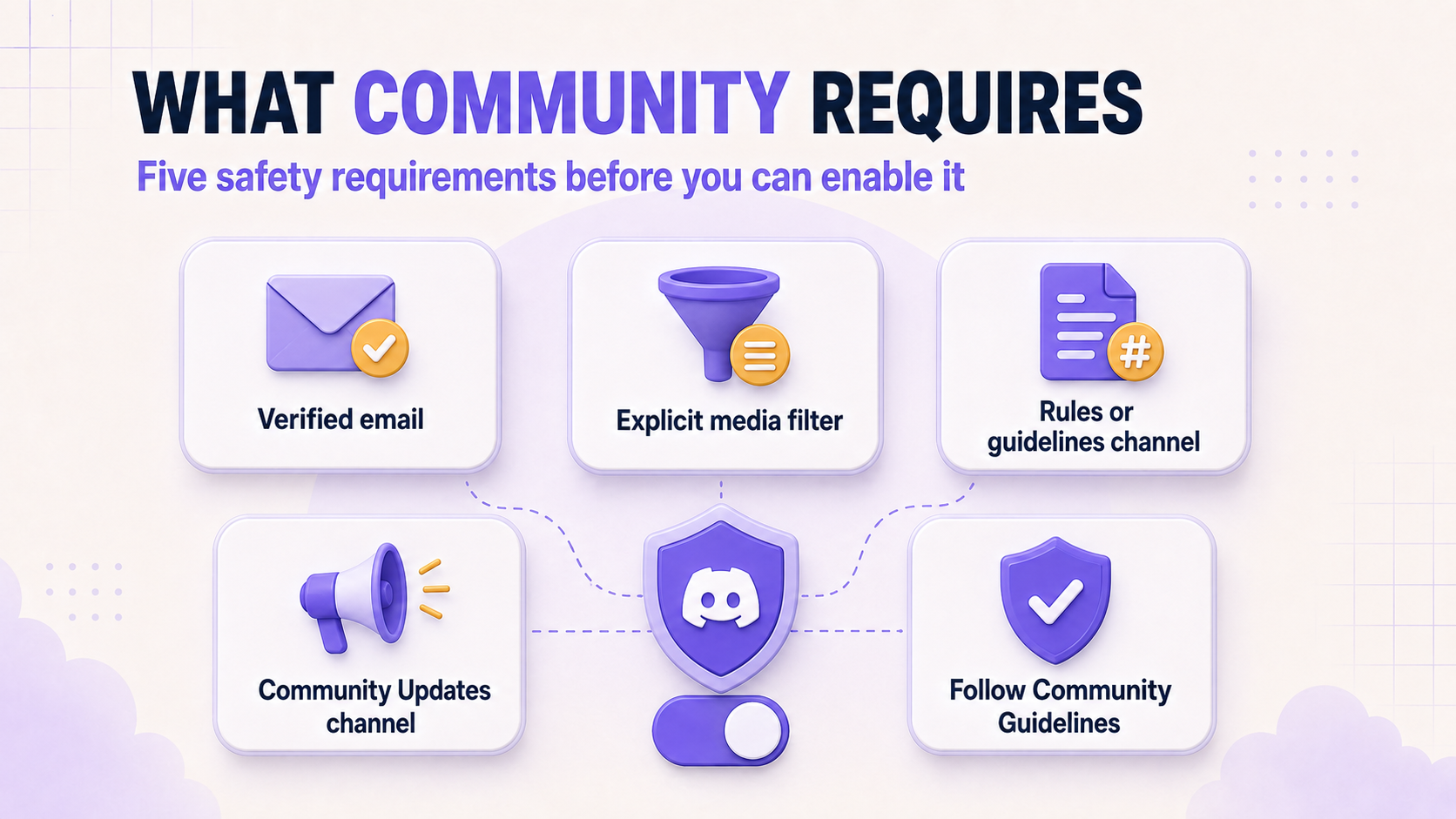
Discord gates Community behind five requirements, and all of them are about safety, not vanity metrics. Verification Level has to require a verified email before someone can send a message or DM another member, though anyone already holding an assigned role is exempt. The Explicit Media Content Filter has to scan media from every member and delete anything it flags as explicit, unless the channel carries an age-restricted label. You need a dedicated rules or guidelines channel so new members know what is and is not allowed. You also need a Community Updates channel, visible only to moderators, where Discord sends admin-facing announcements about upcoming moderation features. Finally, the server has to comply with Discord's Community Guidelines, no exceptions.
What You Actually Get
Once Community is on, four tools unlock. Announcement Channels let other servers "Follow" your updates so they show up directly inside their own server, instead of asking people to go join yet another place. Discord also starts sending your moderators a heads-up on platform changes that could affect how the server runs. Server Insights turns retention, activity, and talk-to-lurker ratios into real numbers instead of a gut feeling. Community Onboarding replaces the old static Welcome Screen with a short flow where new members pick their own roles and channels, and Discord now recommends switching to Onboarding if you are still running Welcome Screen.
The Catch: Discovery Needs 1,000 Members
Getting listed on Discord's own Server Discovery page is part of the same Community package, but it does not show up the moment you flip the toggle. Discord currently limits Discovery to servers with more than 1,000 members, or servers with Partnered or Verified status. Discord has said it plans to lower that bar over time, but it has not moved as of this writing, so a smaller server enabling Community gets every other tool immediately and has to grow into the Discovery piece.
Is It Worth Turning On Before 1,000 Members?
Yes, in most cases. The safety requirements Community demands, a verified email, a filter on explicit media, a visible rules channel, are reasonable defaults most active servers should already be running regardless of Community status. Once those are in place, Insights and Onboarding still add real value well under the Discovery threshold: Insights turns retention into something you can track over time, and Onboarding shortens the gap between someone joining and someone actually finding a channel worth posting in. The Discovery listing is a nice unlock for later, not a reason to wait on everything else.
Turning It On
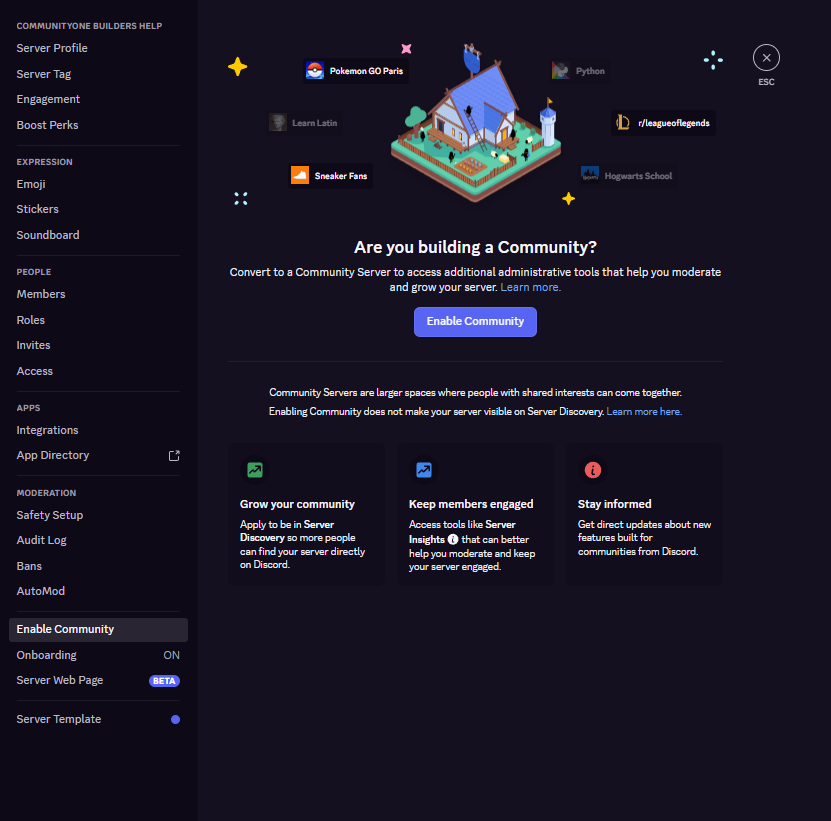
- Open Server Settings and select Enable Community in the left sidebar.
- Press Get Started and step through Discord's setup flow, which walks through the safety settings above.
- Confirm you agree to the Community Server Guidelines and the general Community Guidelines.
- Press Finish Setup.
You can revisit any of these later from the Overview tab under Community, including switching to Community Onboarding, changing your rules channel, or disabling Community entirely if it stops making sense for the server.
Final Thoughts
Community is not a badge, it's a trade: a handful of mandatory safety settings in exchange for tools built for servers that have outgrown a small friend group. Most active servers can meet the requirements without much friction, and Insights and Onboarding pay off well before the 1,000-member Discovery threshold ever comes into play. If your server has plateaued in that in-between zone, one moderator, real regulars, room to grow, this is one of the few Discord-native toggles built exactly for that stage.