Discord Web Presence vs. CommunityOne: Your Discord Forum on Google, and How to Run Both

TL;DR: Discord Web Presence puts public channel content from Discoverable Servers on Google from November 16, 2026, but only new messages, only for servers over 1,000 members, and with no filtering for quality. A CommunityOne server listing publishes your Discord forum threads with explicit member opt-in, full history, per-thread AI summaries written for answer engines, and translations, for servers of any size. They overlap on new threads in big servers, where Discord's copy will win the click but not necessarily the AI citation. Run both, moderate like everything is permanent, and spend the attention you save on making your server a place people want to stay.
The short version
- Discord publishes nothing from before mid-December 2026; CommunityOne publishes your opted-in members' whole history, so the archive is yours alone.
- Discord's consent is default-on with an opt-out; CommunityOne's is explicit opt-in, never re-asked after a no, and members are published under a pseudonym.
- For a direct click, discord.com will outrank any third party; for AI answers, a clean quotable summary competes, which is why CommunityOne writes one per thread.
- Being on discord.com doesn't buy page quality: focused forums, use-case announcements and interlinked content are what make Google treat you as an authority.
- Commercial servers should add social signals (events, emojis, live conversation) to convert searchers into members; social servers should worry about engagement, not growth.
- Indexed messages are effectively permanent, so turn on AutoMod or our AI moderation tool for free before enabling any channel on either platform, and tell members what's going public.
Discord Web Presence puts content from every public, Discoverable Discord server on the open web: a Server Web Page for every Discoverable Server from November 16, 2026, AI-written Channel Summaries from the same day, and individual Channel Messages appearing in search from mid-December. For a more in-depth look at how Discord web presence works what you should do to take advantage of it, read here.
A lot of servers with a CommunityOne server listing have asked us the obvious question: is this the same thing your listing does, and do we still need it?
Short answer: it overlaps, it's not the same thing, and the right move for almost every server is to run both. This post is the long answer. It's a functional comparison, not a pitch, so where Discord's version is the better fit, we'll say so. We'll also be explicit about why we do things the way we do, including the parts that are about money.

Want to 4x your Discord engagement and get free nitros & steams every week✌️?
✨ Invite our botWhy Discord Is Opening Server Discovery to the Web, and Why We Did
Read Discord's announcement with Reddit in mind, and it makes complete sense. Google has spent years pushing first-hand discussion content up the results page, and Reddit has been the overwhelming beneficiary. Reddit is also increasingly closing its doors to the rest of the web. Discord is sitting on the largest pool of real community conversation anywhere, locked behind a login, and it has decided to compete for the open-web spot Reddit is vacating. We think that's right. A lot of communities are public in nature, and Discord should be doing more to help them grow.
We started from almost the same place. CommunityOne has been publishing Discord forum threads to the web since early 2026, for exactly the reason Discord gives: the answers are in your channels, and nobody searching can reach them.
But growth is not the whole answer for most communities, and it was never our end goal. Monetization is. So here is a disclaimer up front: it's likely that one day we will put ads on published pages. When we do, we commit to sharing that revenue with the server the content came from, because it's your community's work. We can't tell you whether Discord will ever monetize its server pages, or whether it would share anything with you if it did.
For us, monetization isn't really about growth either. It's growth plus engagement. People donate, subscribe and buy from communities they're active in, not communities they passed through once. That's why our big push for next year is engagement: our Hype Engine is already live, and the goal is to give members things to do, keep them active, and invite support at the moments when they actually want to give it. That matters most if you're a social server. If you run a commercial support server, you probably don't need it, and we'll say so below.
What Discord Web Presence Does: Server Web Pages, Channel Summaries, Channel Messages
Discord's feature has three parts, all controlled from Server Settings → Community → Web Presence, and all available only to Discoverable Servers (1,000+ members, 8+ weeks old, meeting activity and safety requirements, with Server Discovery turned on).
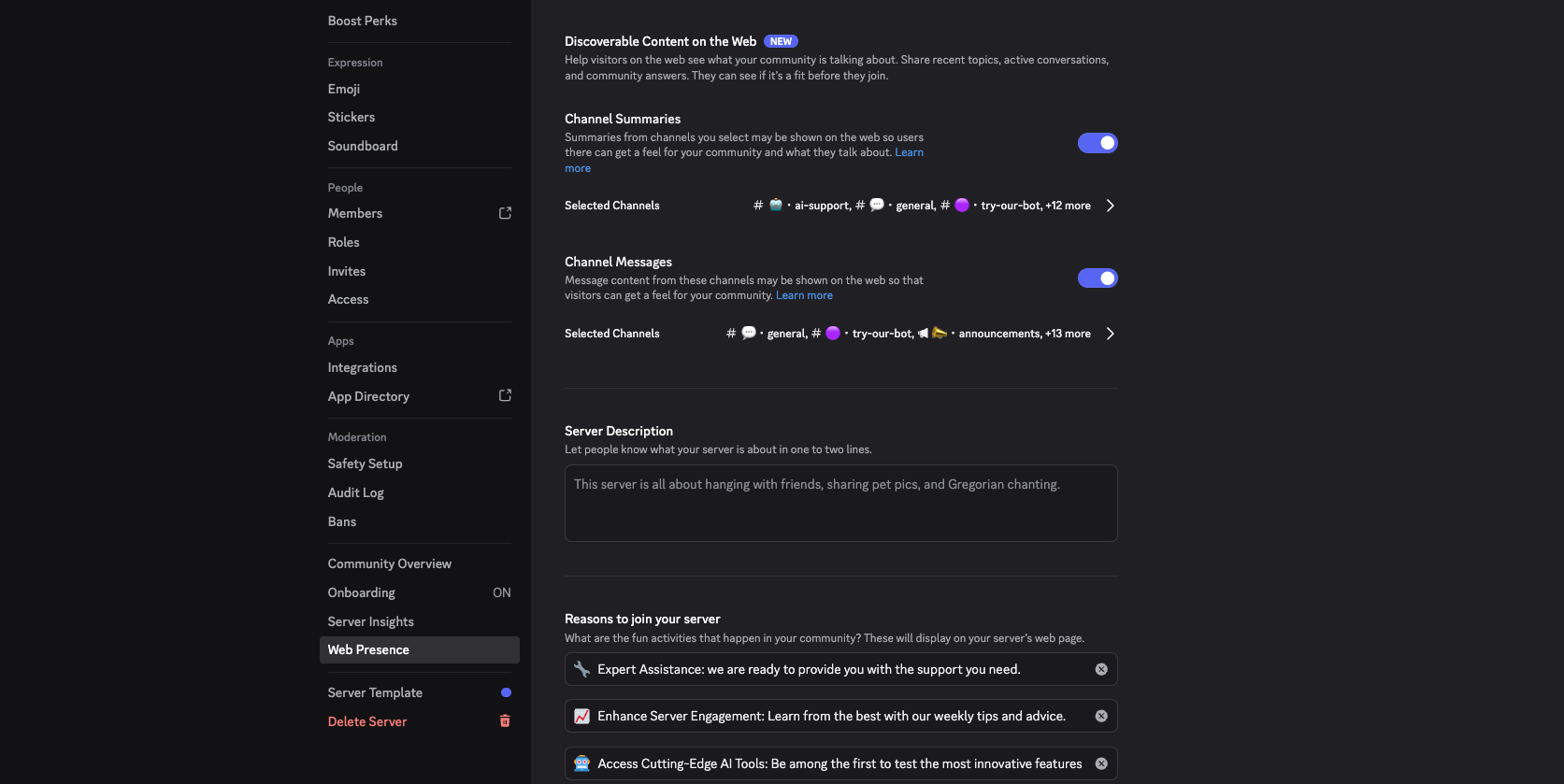
The Server Web Page is a public profile at discord.com/servers/your-server, built from your Server Profile if you don't customize it. It carries your description, categories, languages and a join button, and it's mandatory while you're Discoverable.
Channel Summaries are automated AI summaries of recent conversations in the public channels you select, displayed on that page. They start November 16 and cover only discussions from that date forward. Admins pick channels and can curate or disable them. Members have no individual opt-out.
Channel Messages are real messages from the public channels you select, which can appear on the page and in web search starting mid-December. Usernames and avatars are hidden. Text only for now. Threads and forum posts count if the parent channel is public and enabled. Members control their own participation with one account-wide setting (User Settings → Data & Privacy), on by default in most regions, off by default in the EU/EEA, UK, Canada, Brazil, Australia and South Korea, and unavailable to teens.
The most important detail for this comparison: only messages sent after the feature launches are eligible. Discord states this directly. Nothing posted before mid-December 2026 will ever appear.
What CommunityOne Does: A Discord Server Listing With Your Forum Indexed
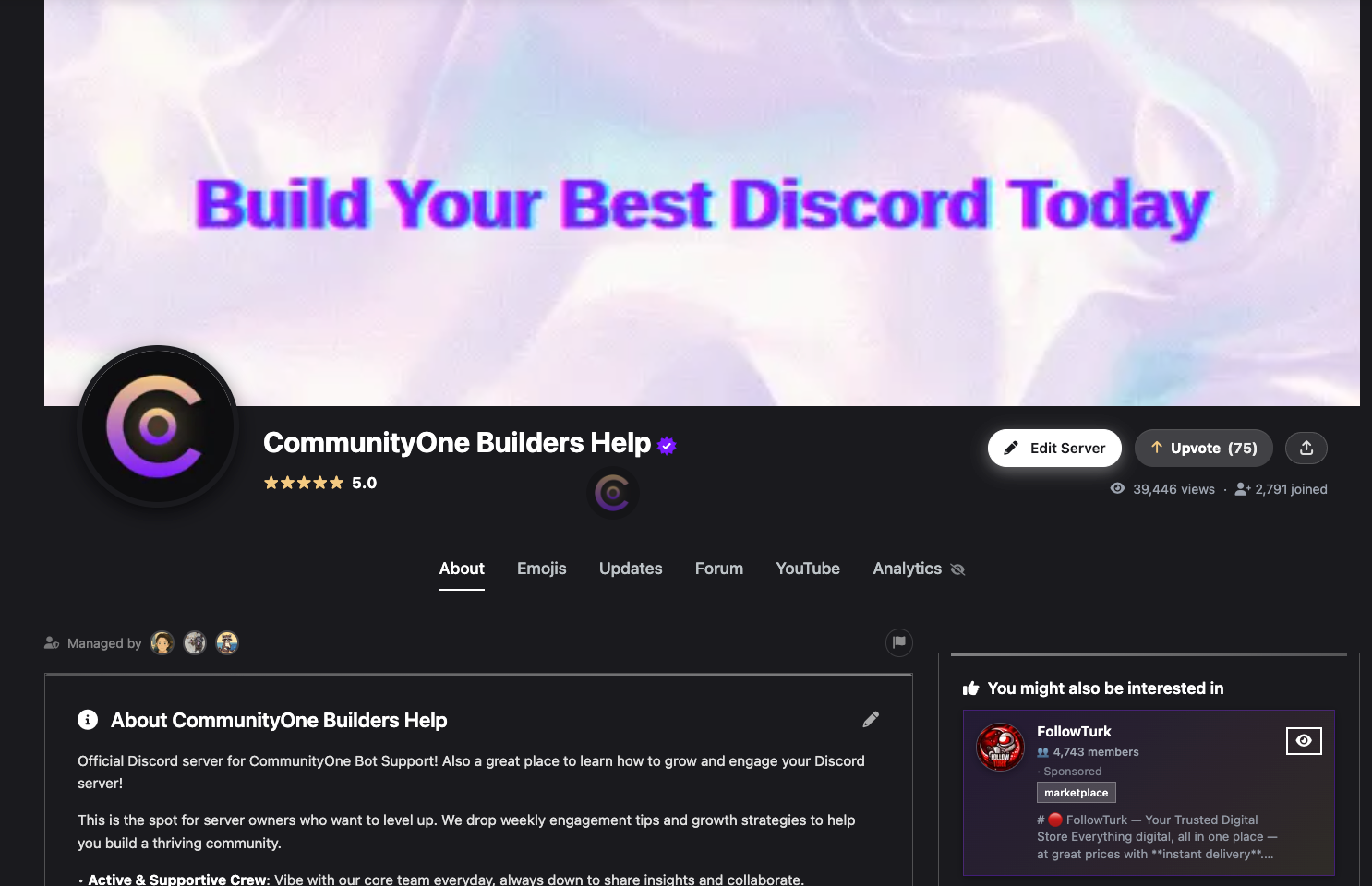
CommunityOne gives every server a public Discord server listing at communityone.io, and publishes your forum threads as pages under it. The listing is the hub: your description, invite, events, emojis and every published thread link to and from it, which is what makes the whole thing read to Google as one site about your community rather than loose pages. It works for servers of any size, as long as the bot is in your server to sync channels.
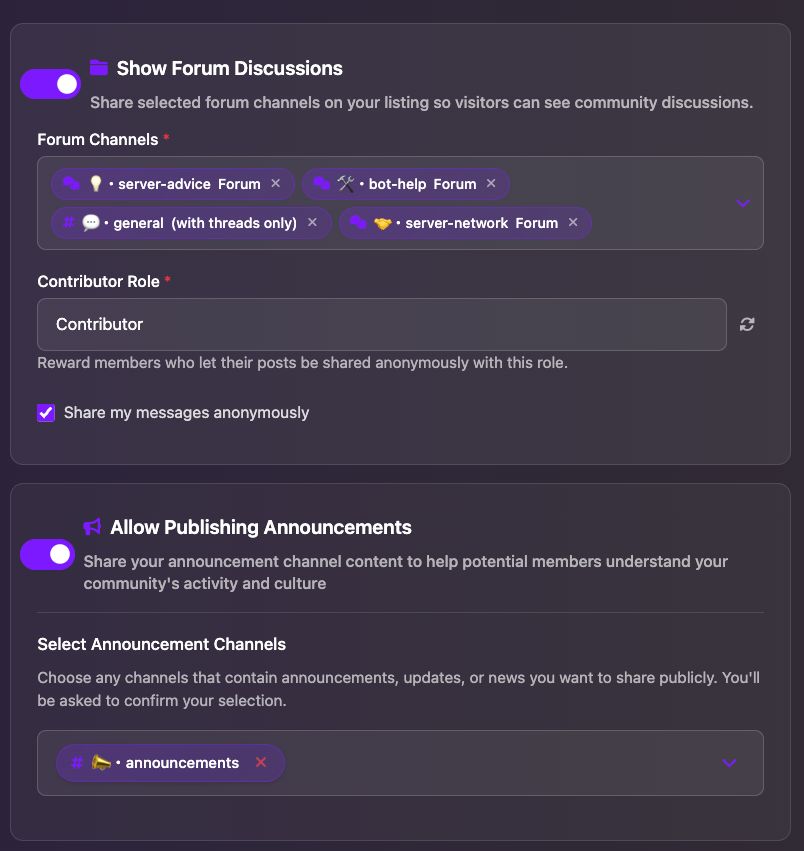
Consent first. In your listing's Publishing Permissions, you turn on Show Forum Discussions and select which forum channels to include. Members are asked in Discord whether they want to share their messages anonymously. Those who say yes get a Contributor role; those who say no are never asked again. Only threads where the original poster has opted in are published, and within those threads only messages from members who've opted in are shown. Everyone appears under a stable pseudonym (something like "QuietBadger-42"), never a Discord username. When a member opts in, their entire history in your selected channels becomes eligible, including threads from years ago. If they later revoke, threads they started are unpublished and their replies are removed from other threads.
Not everything gets published. This is a deliberate difference. Every thread goes through a quality check, and thin threads, single-author broadcasts, and low-value chatter are left out. Google scores a site on the quality of its pages, and publishing a high volume of thin content drags the whole site down, no matter whose domain it sits on. We'd rather publish fewer pages that each deserve to rank.
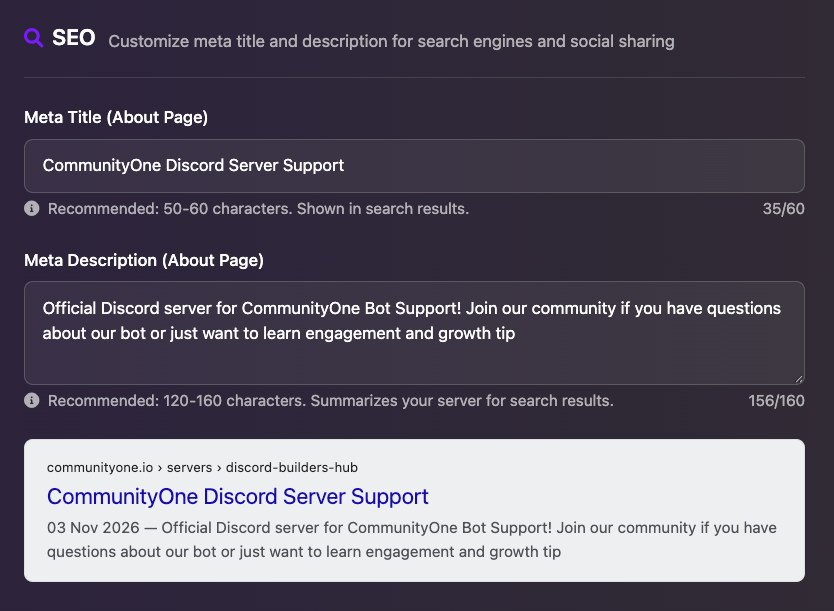
Metadata you can edit, generated by default. Each thread gets an SEO title, meta description and keywords. We generate them with AI from the thread's content so they match what someone would actually search, and you can override any of them from your dashboard.
A summary written for AI. Long threads are messy. People go back and forth, ask follow-ups, correct themselves. That's fine for a human reading top to bottom, and bad for an AI search engine trying to extract an answer. So for each published thread we write a concise, directly quotable summary of the question and its answer, placed where answer engines look for it. We think this is the single biggest reason AI engines cite our pages as often as they do.
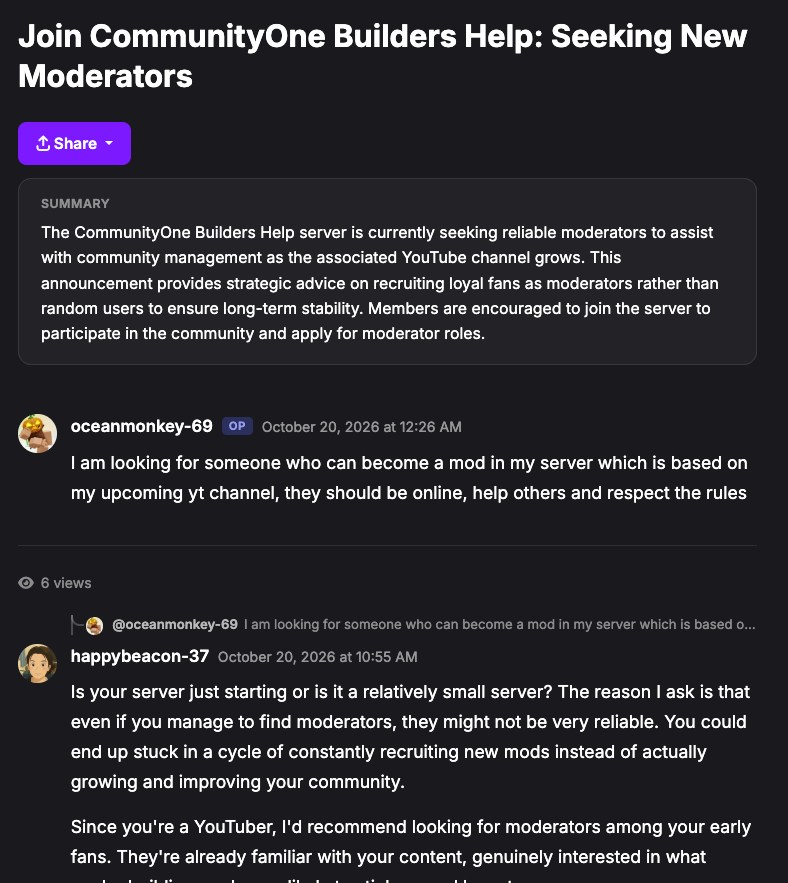
Related content linked on purpose. We link published threads, announcements and other pages from the same server to each other when they're about the same thing. That is how Google learns that your server keeps talking about one subject and treats you as an authority on it, rather than one more page in a pile.
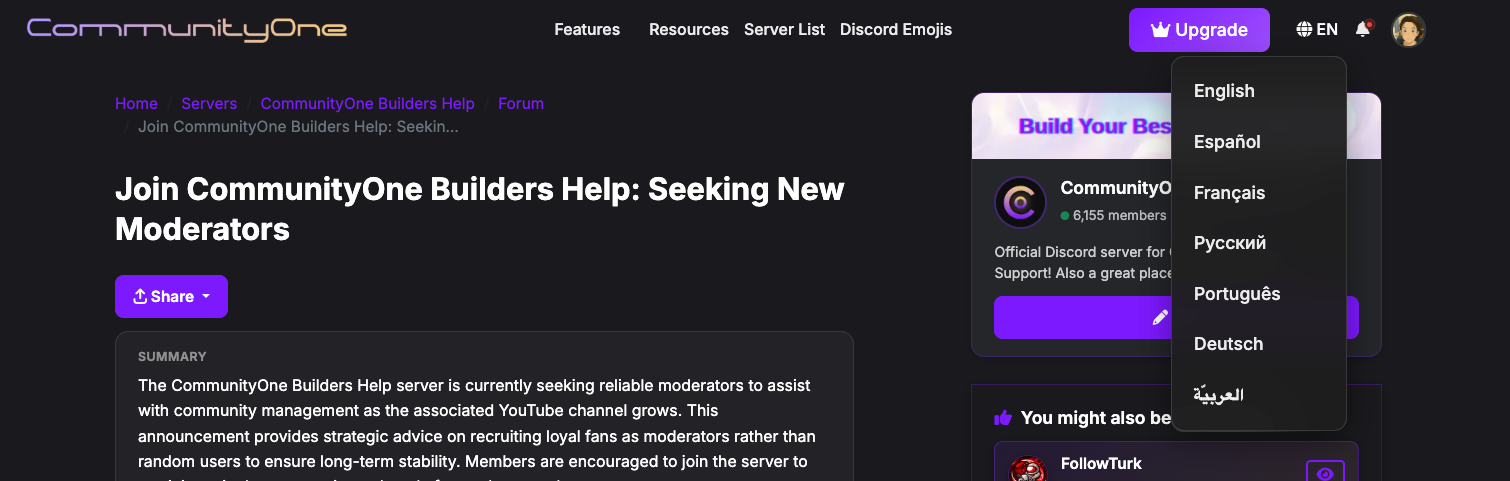
The rest of the package. DiscussionForumPosting structured data for Google's forum features, a sitemap entry with IndexNow pings, and translations into Spanish, French, German, Portuguese, Russian and Arabic, each on its own URL with hreflang tags. Text and images are both published; images attached to a thread need a manual refresh from your dashboard to appear. Every page links back to your listing and your invite.
Discord Web Presence vs. CommunityOne, Side by Side
| Discord Web Presence | CommunityOne Forum Publishing | |
|---|---|---|
| Who's eligible | Discoverable Servers only (1,000+ members, 8+ weeks, activity and safety checks) | Any server with the bot installed |
| What's published | Channel Summaries (AI) + individual messages from selected public channels | Full forum threads from selected forum channels |
| History | New content only, from mid-December 2026 forward | Full history of opted-in members, back to the thread's start |
| Selectivity | Every eligible message in an enabled channel | Quality check per thread; thin and low-value threads are not published |
| Member participation | Default on (most regions); one account-wide opt-out; no opt-out for summaries | Default off; explicit opt-in per server, never re-asked after a no; revocable, with un-publishing |
| Identity shown | No usernames or avatars | Stable pseudonym per member |
| Admin controls | Per-channel for summaries and messages, independently; owner/Administrator only, desktop only | Per-forum-channel from the listing dashboard |
| Where it lives | discord.com/servers/your-server | Your Discord server listing at communityone.io/servers/your-server |
| Metadata | Discord's page title and description, built from your Server Profile | AI-generated SEO title, description and keywords per thread, editable by you |
| AI summary | Channel-level summaries on the server page | Per-thread quotable summary written for answer engines |
| Interlinking | Not stated | Threads, announcements and events linked to each other and to your server listing |
| Languages | Your server's language | Original + 6 translations with hreflang |
| Content types | Text only (images/video in a limited pilot) | Text and images (images need a manual refresh) |
| Removal | Delete the message in Discord; toggles stop new content only | Unpublish by thread, revoke consent, or delete data; threads removed on request |
| Monetization | Not announced | Revenue share with your server if and when ads run |
| Cost | Free | Free |
Where They Overlap: New Threads in Discoverable Servers
For a Discoverable Server with active public forum channels, both systems will publish new forum discussions from mid-December onward. Google will see two versions of a new thread: one on discord.com, one on communityone.io.
We want to be explicit about what happens then, because it depends on how the person is searching.
If someone is clicking through to a page for a specific detail, Discord will outrank any third-party tool, ours included, almost every time. It's the platform the content was created on, on one of the most authoritative domains on the web. We're not going to pretend otherwise.
If someone is asking an AI search engine, it's genuinely unclear who gets cited. A raw, long conversation is messy, and AI summarizers don't handle messy well. We don't yet know how Discord will present individual threads on the web or whether it will summarize them. Our pages carry a clean, quotable summary of the question and answer, which is exactly what an answer engine wants to lift. AI engines do weigh domain authority, but not so heavily that they exclude the clearer source. Our experience so far is that they cite us often.
So for the overlapping slice, you lose nothing by having both copies out there, and you gain a second shot at every query. For all practical purposes: keep both.
Where They Don't: History, Servers Under 1,000 Members, and Consent
Everything before mid-December. This is the big one. If your help forum has three years of solved problems in it, Discord's Web Presence will never publish any of it. CommunityOne publishes whatever your opted-in members have ever written in the channels you select. For an established community, the archive is most of the value. It's the questions people are still Googling, with answers that are still correct.
Servers under 1,000 members. Discord's features don't exist for you yet. More than 90% of the servers publishing forums through CommunityOne today are below the Discoverable threshold. For them, this is the only route to the web.
Discoverable-eligible servers that aren't Discoverable. Plenty of servers over 1,000 members haven't turned on Server Discovery, don't want the mandatory Server Web Page, or don't want their general channels summarized by an AI. Forum publishing lets you put your help content on the web without any of that.
Consent model. Discord's is default-on with an opt-out; ours is default-off with an opt-in. Neither is wrong, but they produce different outcomes. Discord's will publish more of your members' messages, including from members who never noticed the setting. Ours publishes fewer, from members who actively said yes, and lets you tell your community "nothing goes up that someone didn't agree to."
Selectivity and page control. Discord publishes every eligible message in an enabled channel. We filter for quality, generate metadata, write the AI summary, interlink related pages and translate. Discord's Server Web Page carries a title, your description and a join button. We don't yet know how Discord will render individual messages or forum threads on the web; the help center doesn't say, and we'll update this post when the pages are live.
A Discord Server Web Page Doesn't Mean Automatic Growth
One assumption we want to head off: that living under the Discord domain hands you rankings for free.
Google scores two things. Site quality, which is roughly where domain authority comes in, and page quality, which is about the individual page. The Discord domain helps with the first. It does nothing for the second. A thin page is a thin page on any domain, and a help channel full of one-line replies will produce thin pages.
What moves page quality is focus. If your server keeps talking about one subject, in different ways, across many pages that reference each other, Google and the AI engines conclude you're an authority on it. If your server talks about everything, you're an authority on nothing. This is why we interlink related content deliberately, and why we'd tell you to center your public content on a handful of ideas, the way an SEO team picks the keywords it absolutely has to own.
Two concrete things follow.
If you don't have forum channels, set them up. The forum format teaches members what high-value content looks like: one question, one title, one answer. It lets you tell members what kind of posts belong there, which in turn tells the AI what your server is about. We love forums, and they're the content that does best on both platforms.
Change how you write announcements. Stop announcing what you did and start describing the use case. "If you're hitting problem X, here's how to do Y." Someone asking an AI engine phrases it as a question, so wrap the announcement so it reads as the answer to that question without the engine having to do any work to connect them.
Growing a Commercial Discord Server vs. a Social One
The right setup depends on what your server is for.
If you're a commercial or support server, indexing your help forum is the obvious move, and both platforms will do it. But here's what the indexing doesn't tell you: when a searcher finds the answer, a fraction join your community and a fraction leave, because they already have what they came for. The number that matters is that fraction, and it's set by whether your server looks like a place worth joining. This is where Discord is remarkably defensible against AI. People want to make friends. A server that feels friendly, that talks about the thing you care about but also about other things, with events and live sessions and conversation beyond support, converts searchers into members. A server that is strictly support doesn't, because there's nothing left to join once the answer is on the web. That's why your server listing carries indexed events and your emojis alongside the forum: they give a visitor the feeling of what's happening and how alive the place is. Blur the line a little. Fun gets joins.
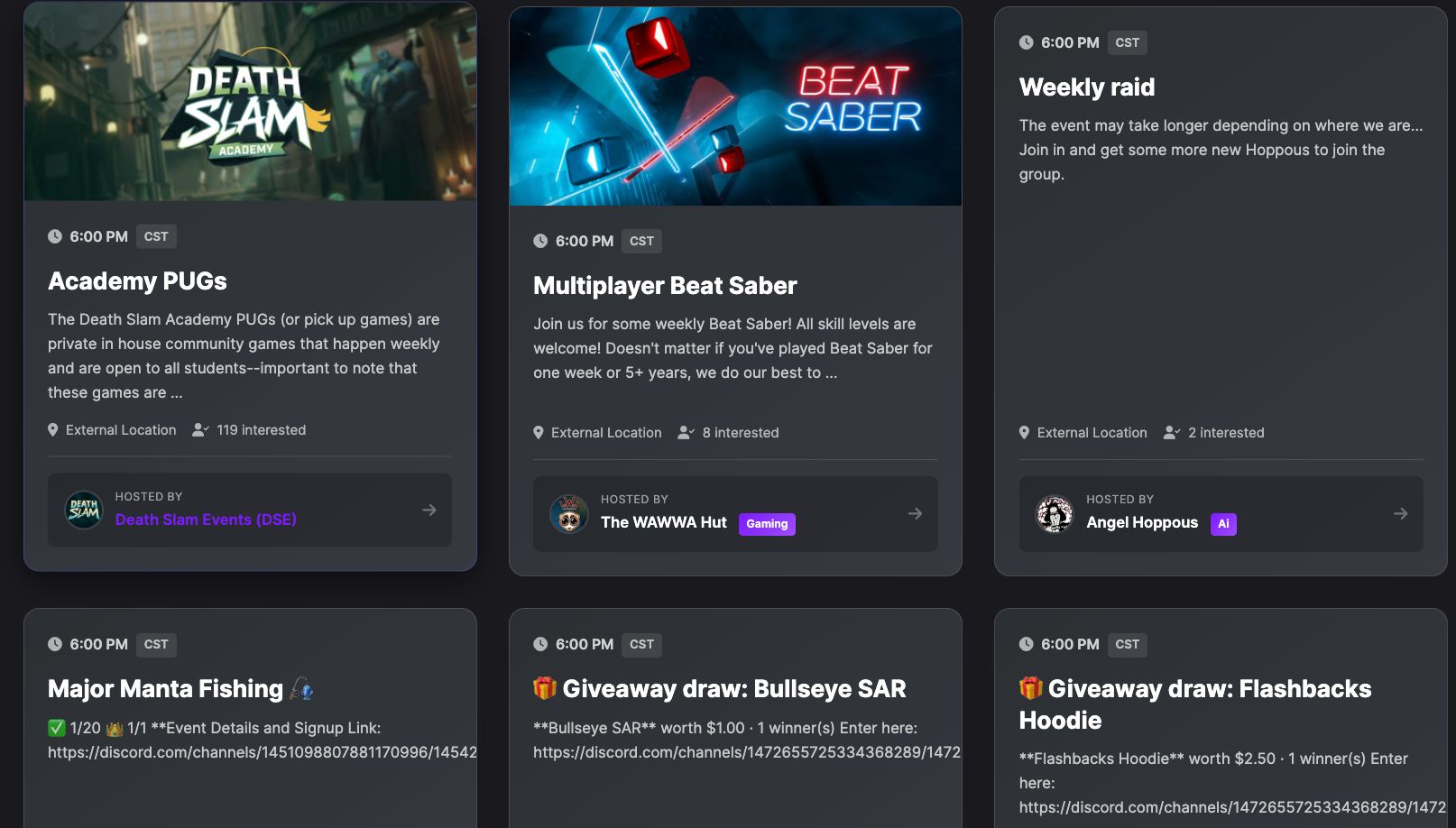
If you're a social server, the job is almost the opposite. Most social servers we know talk about everything and anything, and the real job to be done is helping people make friends. A wide range of topics means search engines won't treat you as a domain expert on any of them, so don't expect forum publishing or Channel Messages to be your growth engine. What Discord's summaries can do for you is put all your topics on one page, which gives a visitor a good impression of what you're about and helps the right people find you. We'd still recommend our tools, but not for growth. Growth isn't the problem you should worry about most; engagement is. A social server needs the full stack: get people in, give them something fun to do, keep the place well run. That's what the server listing, the Hype Engine and the moderation tools are for, and it's why we're betting on engagement next year.
Moderation: Assume Indexed Discord Messages Are Public Forever
This applies equally to both platforms, and it's the part we'd most like you to take seriously.
Once a message is indexed, assume it's public forever, even if you delete it. Google keeps a cached copy, and it recrawls on its own schedule. A deleted message disappears from Discord's pages or ours, but it can sit in search results for a long time afterward. If you're publishing every raw message from a channel and someone posts spam or explicit content, that's what a searcher sees, and the impression that nobody is running your server can outlive the page by months.
We've lived this. One server using our publishing got hacked, and thousands of pornographic spam messages went up before the owner noticed a couple of days later. We took the pages down immediately and filed removal requests with Google. It still took about a month before that content dropped off the first page of results. We don't know whether Discord will file removal requests on an individual server's behalf. Until it says so, assume you'd be on your own, which is an extra risk on their side of the table.
So before you enable anything on either platform: turn on Discord AutoMod with rules that delete on match, make sure the enabled channels have active human moderators, or use our AI moderation to catch it in real time. Enable only channels that are already clean.
Discord Data Privacy: Tell Your Members, Whichever Tool You Use
Discord has historically been a private place, and a lot of members still think of it that way. Now that Discord itself is publishing messages and the news coverage is about privacy, this has gone from a niche concern to something every admin has to handle.
Our position is that the burden shouldn't be on you. We ask each member for explicit consent; they know exactly what's being published and under what name, and if they say no, we never ask again. Some other tools take the opposite approach: content is published by default, and it's on you to warn members and point them at the opt-out. Members who weren't warned get surprised, and surprised members leave angry messages, which are themselves now indexable.
Whatever you run, announce it before it goes live. Say which channels, what's hidden and what isn't, where the opt-out lives, and what the opt-out doesn't do. Specifically: turning off Discord's setting stops future messages only, it doesn't delete anything, and deleting a message in Discord doesn't clear Google's cache. Members should hear that from you, not from a screenshot.
How to Run Discord Web Presence and CommunityOne Together
If you're a Discoverable Server (1,000+ members, Discovery on):
- Before November 16, open Server Settings → Community → Web Presence. Select your help, guide and Q&A channels for Channel Messages. Select substantive discussion channels for Channel Summaries. Deselect memes, off-topic and bot-spam for both. Edit your Server Web Page so the description says specifically what your community is about.
- Turn on AutoMod or AI moderation for every channel you enabled.
- In your CommunityOne listing, open Publishing Permissions → Show Forum Discussions and select the same help and Q&A forum channels. Let the bot create the Contributor role, or pick an existing one.
- Post one announcement that covers both. Tell members which channels are going public, that Discord hides usernames and CommunityOne uses pseudonyms, where the Discord opt-out lives, and that opting in with CommunityOne is a separate, voluntary step that also publishes their older posts.
- In late December, search
site:discord.com/servers/your-slugandsite:communityone.io/servers/your-slugand see what's indexed.
If you're under 1,000 members:
- Claim your Discord server listing on CommunityOne, turn on Show Forum Discussions and select your forum channels. If you don't have forum channels, create them first.
- Announce it. Explain the pseudonyms, the opt-in, and that past posts are included for members who say yes.
- Keep growing. When you cross 1,000 members and turn on Discovery, add Discord's Web Presence on top. Your archive will already be indexed.
Questions We've Been Asked About Discord Web Presence
Will Discord indexing my forum hurt my CommunityOne pages? No. Google doesn't penalize a page for having a near-duplicate elsewhere. What it does is pick one to rank for a given query, and when two copies are identical, it will pick discord.com over us or any other third party nearly every time. That's fine. It's still in your interest to have similar content on more than one platform, because we're competitive in search on our own domain and AI engines cite us often. AI engines weigh authority, but not so heavily that they exclude the clearer source, and for a long conversation we believe our quotable summary beats raw chat messages. We'll be watching our own Search Console after December and will publish what we find.
If a member turns off Discord's setting, does that stop CommunityOne from publishing them? No. The two systems don't share settings, and we have no way to read Discord's. A member is only published on CommunityOne if they opted in with us. If they want off both, they turn off the Discord setting and revoke their CommunityOne opt-in; we unpublish their threads and remove their replies.
Does Discord's feature mean you no longer need member opt-in? No. Discord's rules for apps are stricter than its rules for itself: an app may only share a member's data when that member expressly directs it. Discord's own feature is also new-messages-only, while ours includes history. Opt-in is what makes the archive publishable. It stays.
Can I publish different channels on each? Yes, and it's often sensible. Some admins put general discussion on Discord's summaries and keep only the help forum on CommunityOne, where every thread gets its own page.
Are you going to put ads on my threads? Probably, one day. When we do, the server the content came from gets a share of the revenue, or you can simply opt out. Nothing is running today, and we'll announce it before it does.
What about announcements, events and emojis? Unchanged. CommunityOne's announcement publishing, event listings and emoji pages work the same as before and have no equivalent in Discord's Web Presence.
Final Thoughts
Discord deciding that community conversations belong on the open web is good for every community that has useful things to say. It validates the bet a lot of you made when you turned on forum publishing, and it gives the largest servers a new front door.
It also leaves a lot uncovered: everything said before December, every server under 1,000 members, every member who'd rather choose than be chosen, and everything that happens after someone finds the answer. That's what a CommunityOne server listing is for. Turn on both, point them at your best channels, moderate like it's permanent, and spend the attention you save on the thing that actually keeps people: making your server a place worth staying in.