Discord Forum Channels: The Complete Setup Guide for Structured Discussion and Support


Regular text channels are built for one continuous scroll of conversation. That works until a server grows past a certain size, at which point every topic, support tickets, feature requests, fan theories, bug reports, ends up tangled in the same feed, and nothing is ever findable again.
Forum Channels are Discord's answer to that problem. Each message starts its own post, with its own thread, its own tags, and its own reactions. Instead of one long river of chat, you get something closer to a lightweight message board sitting inside your server.
This guide covers how to set one up, how to configure tags so they actually help instead of adding clutter, and how to moderate a forum without it turning into a graveyard of unanswered posts. This matters even more once you're actively growing a Discord server, since a bigger member base means more repeat questions landing in the same shared feed.

Your forum tags tell you what got posted. CommunityOne tells you what's actually getting resolved.
Track response times, tag activity, and channel performance so nothing sits stale and unanswered.
When a Forum Channel Beats a Text Channel
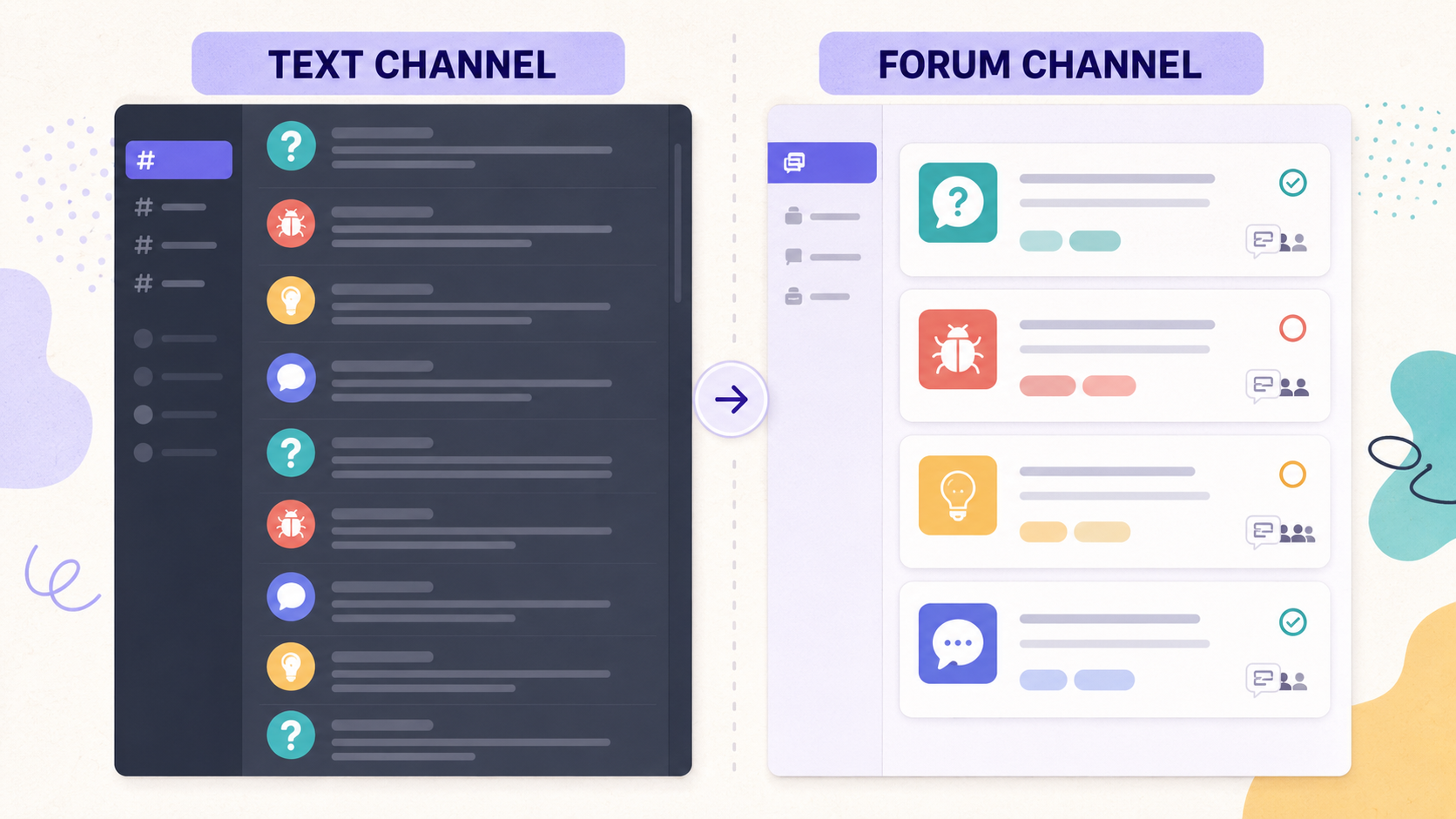
Use a Forum Channel when:
- Members frequently ask distinct, self-contained questions (support, troubleshooting, FAQs).
- You want structured feedback (feature requests, bug reports, suggestions) that can be sorted, tagged, and revisited later.
- Discussions naturally split into separate topics that don't need to interleave (fan theories, showcase posts, local meetups by city).
Stick with a text channel when the value is in real-time back-and-forth: general chat, live event discussion, anything where the point is a shared conversation rather than separate posts.
Setting Up a Forum Channel
- Enable Community in Server Settings, if you haven't already. Forum Channels require it.
- Click the + next to a category and select Forum.
- Name it clearly by function: support, bug-reports, feature-requests, showcase. Members should know what belongs there before they click in.
- Write Post Guidelines. These appear on the side panel when someone opens the forum and are your best shot at getting properly formatted, on-topic posts instead of one-line drive-bys.
- Set permissions, usually letting the everyone role post, but for things like official bug tracking you may want to restrict posting to verified members or specific roles.
- Choose a default sort order (Recent Activity is usually right for support forums; Creation Date works better for showcases or announcements-style forums) and a default reaction emoji for quick acknowledgment.
Tags: The Feature That Makes or Breaks a Forum
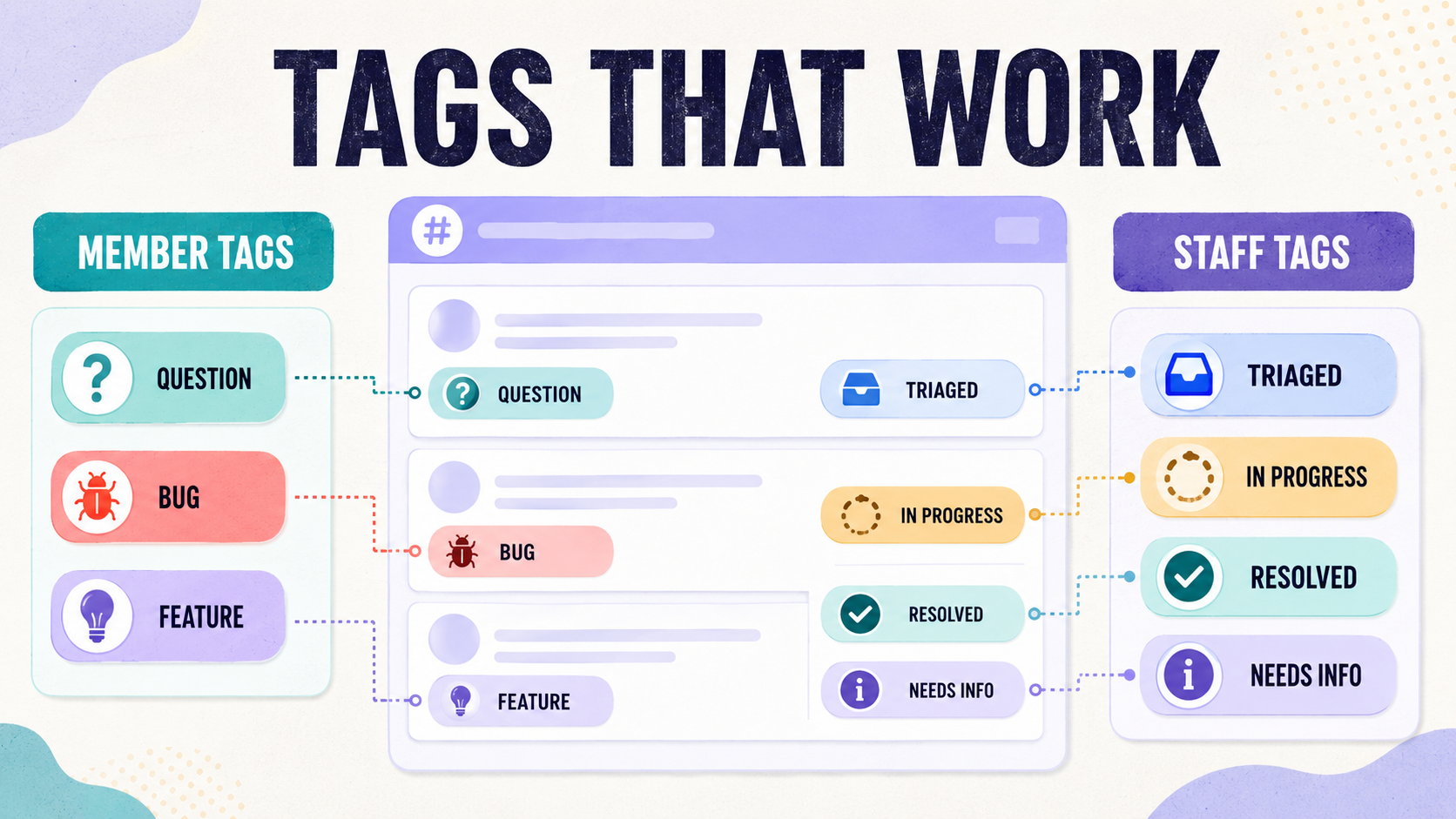
Discord allows up to 20 tags per Forum Channel, and tags are what turn a forum from a pile of posts into something actually searchable.
Getting tags right:
- 8-15 well-named tags beats 20 vague ones. More tags sounds more organized; in practice it just gives members more chances to tag posts wrong or not at all.
- Force a choice where it matters. Turn on "Require a tag" for anything you need to triage, support and bug forums especially. An untagged bug report is a bug report nobody will ever look at again.
- Split member-facing tags from staff-facing tags. Members pick category tags like question, bug, feature-request. Staff apply status tags like triaged, in-progress, resolved, needs-info. This alone does most of the organizational work for a support forum.
- Add emoji to tags. It costs nothing and makes the tag list scannable at a glance instead of a wall of text.
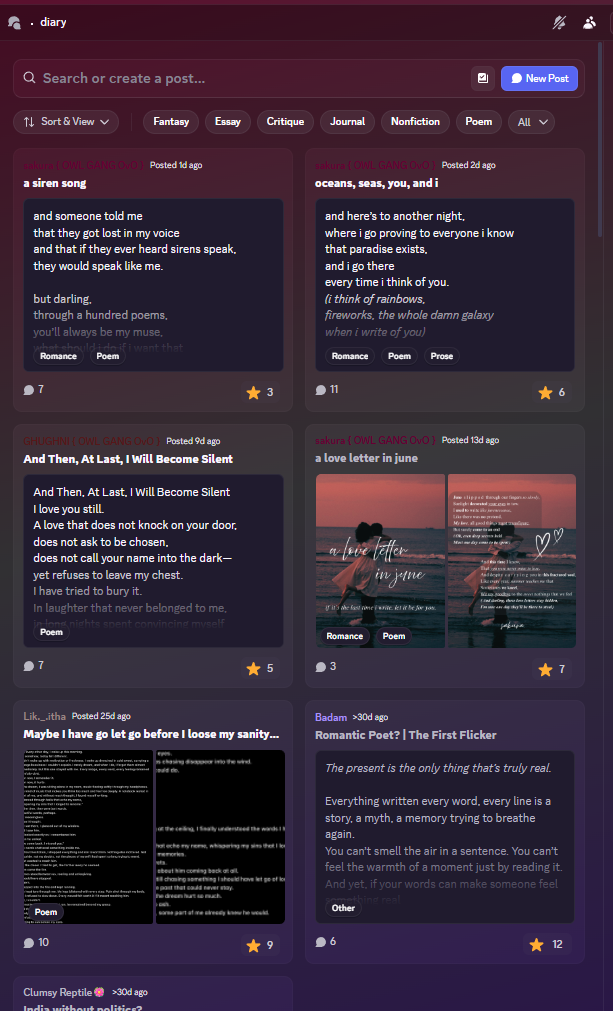
Your Home (formerly Bangwing IN) puts this into practice with genre tags like Fantasy, Essay, Critique, Journal, Nonfiction, and Poem as top-level filters, then lets members stack more specific tags, like Romance, Poem, or Prose, on individual posts on top of that. Members filter by genre before they ever open a post, and star ratings and comment counts sit right in the list, so the most-loved writing surfaces on its own without anyone having to pin it.
Moderating a Forum So It Doesn't Rot
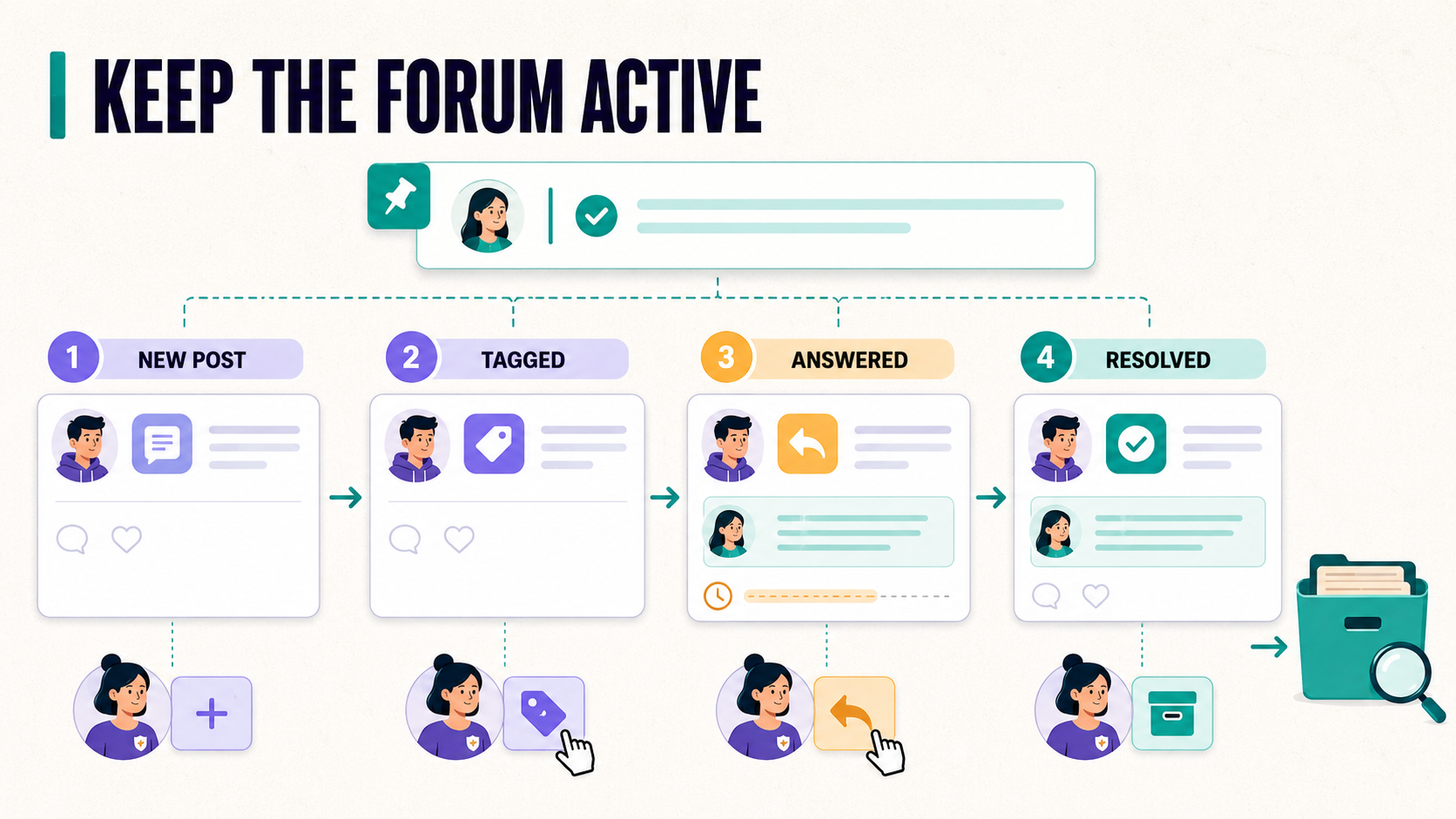
A forum's biggest failure mode isn't spam, it's neglect: posts that sit untagged, unanswered, and un-resolved until the whole channel looks abandoned, which then discourages anyone else from posting.
- Set a response-time expectation for your mod team, even an informal one ("we aim to reply within 24 hours"), and actually hold to it.
- Close or tag resolved posts. A support forum where half the posts are stale with no indication of resolution reads as a dead product, not an active community.
- Pin a few well-answered posts to the top of the sort order as reference examples. This reduces duplicate questions more effectively than any rule in your guidelines.
- Periodically archive or lock old posts in fast-moving forums (bug reports, patch feedback) so search results don't surface outdated information as current.
Forum Channels vs. a Knowledge Base Bot
Worth noting: a Forum Channel is where questions get asked and discussed. It is not a replacement for documentation. If the same three questions keep reappearing as new forum posts, that's usually a sign the answer needs to live somewhere members can find it before they post, a pinned FAQ, a knowledge base, or an AI support bot trained on your docs. The forum then stays focused on the genuinely new questions instead of absorbing the repeat ones, which is a much better use of both member time and moderator attention. If you'd rather host discussions live instead of async, Discord Stage Channels are built for real-time Q&A and AMAs.
Quick Setup Checklist
- Community mode enabled
- Forum created with a clear, function-specific name
- Post guidelines written
- Permissions set for who can post
- 8-15 tags, split between member-facing and staff-facing
- Required tags turned on for support and bug forums
- Default sort order matched to the forum's purpose
- A staff routine for tagging, responding, and closing posts
Get the setup right once and a Forum Channel runs itself for months. Get it wrong and you end up with a channel full of orphaned posts that quietly signals your server isn't being looked after. Once a few tags are live, track engagement the same way you'd track server analytics, so you know which categories are pulling their weight and which ones can be retired.