Discord Server Templates: When to Use One and How to Build Your Own

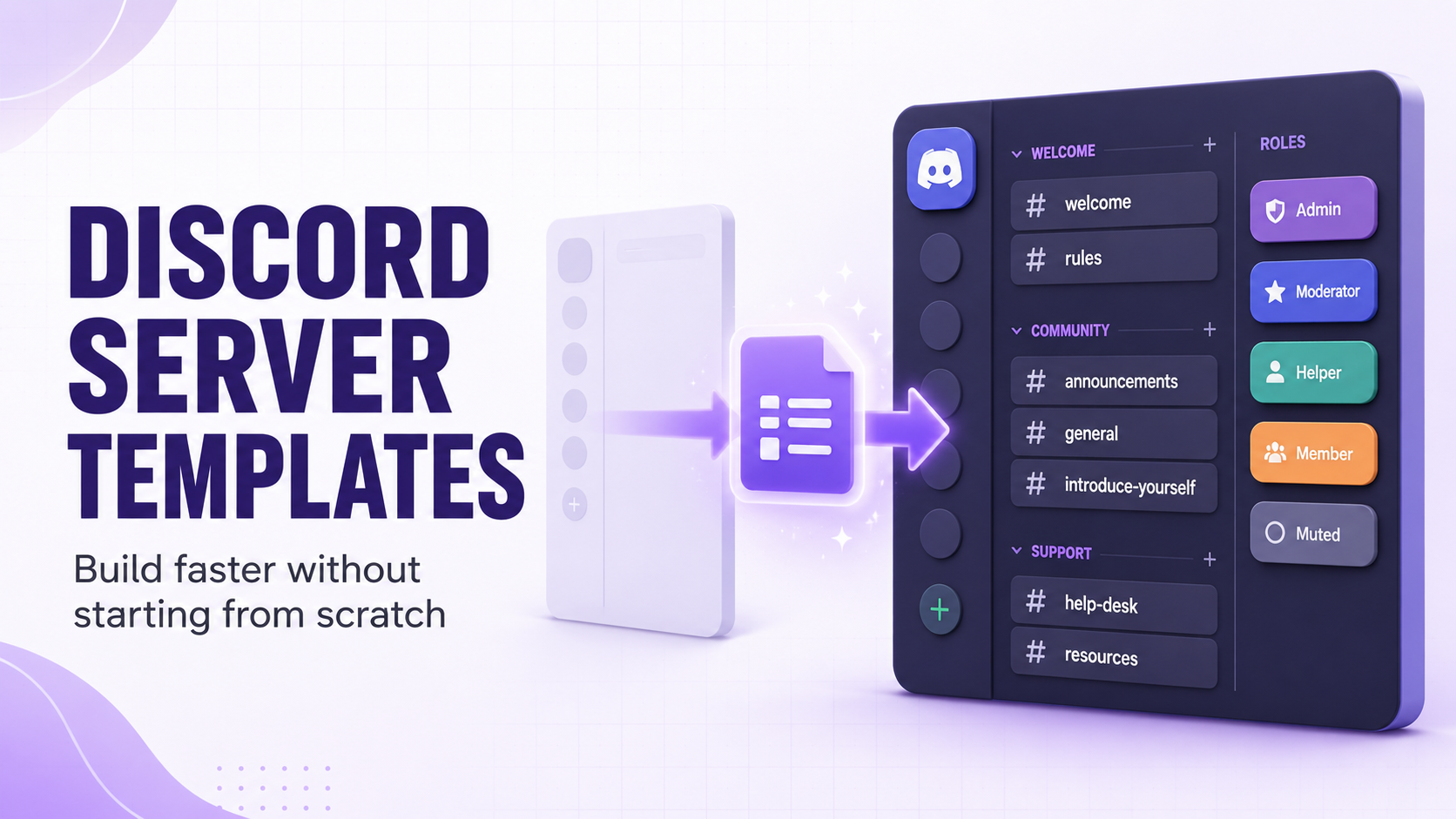
Starting a Discord server from a completely blank slate is one of the fastest ways to burn out before you've had a single member join. Every channel, permission, and role has to be created by hand, and it's easy to spend two hours building infrastructure for a community that doesn't exist yet.
Server templates solve the blank-slate problem, letting you clone an entire channel and role structure in seconds. This guide covers when a template actually helps, where to find good ones, and how to build your own so future servers, or future versions of your current one, start from something solid instead of nothing.

A template gets your channels started. Spark keeps members supported.
CommunityOne's Spark AI chatbot answers member questions instantly from your own docs, right inside Discord, so new members get accurate answers even when no mod is online.
What a Server Template Actually Copies
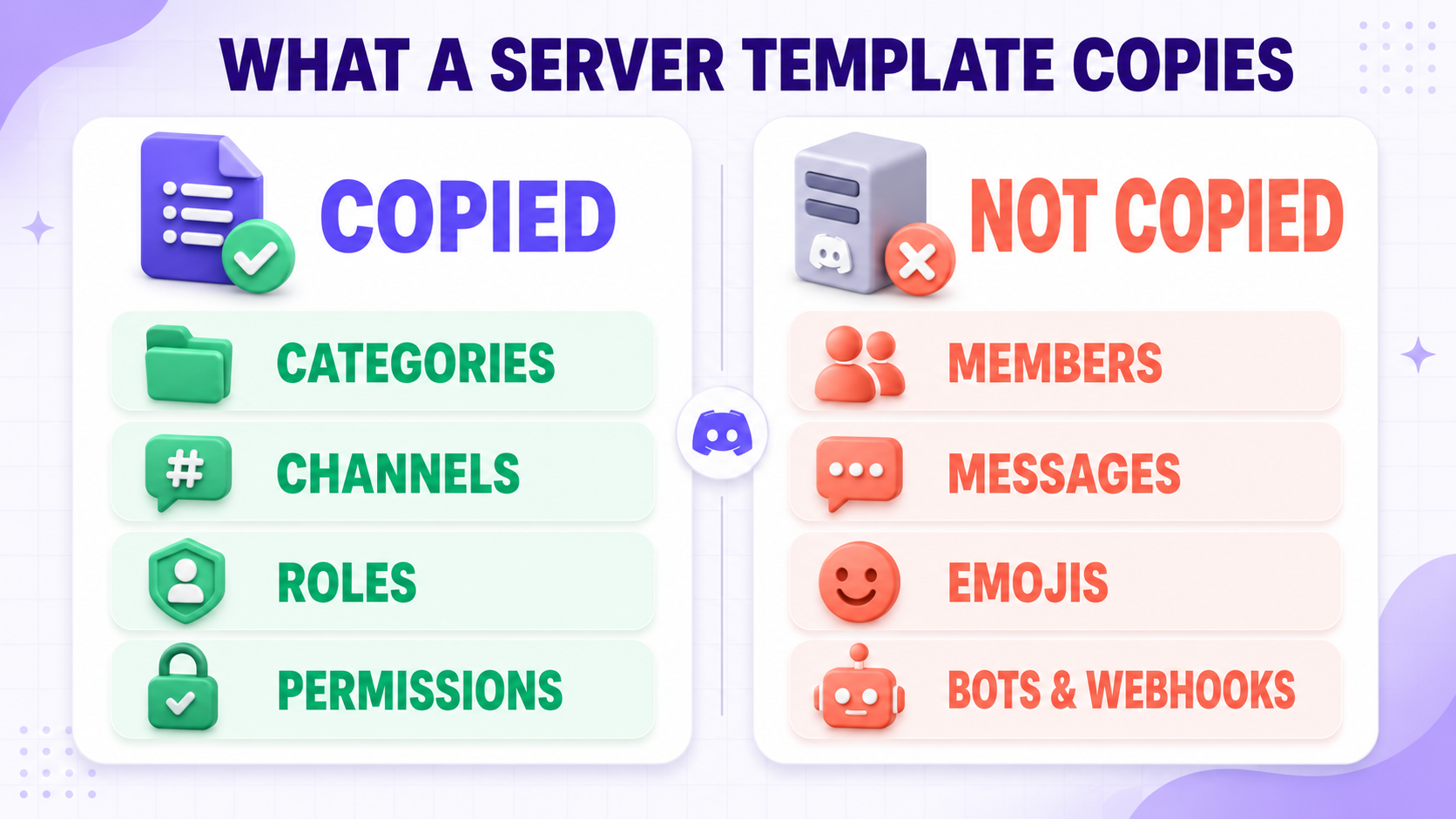
A template captures the structural bones of a server: categories, channels, channel names and topics, permission overwrites, and roles with their color and permission settings. It does not carry over members, messages, emoji, or integrations like bots and webhooks, so a template is a starting skeleton rather than a full clone. Anyone who applies your template still has to invite their own bots and build community from scratch.
When a Template Actually Helps
Templates earn their keep in a few specific situations rather than every server launch. If you run multiple related communities, like regional chapters of the same brand or separate servers per game title, a template keeps the structure consistent without redoing the setup work each time. If you're relaunching a server after a rebrand or a major reorganization, starting from a clean template avoids dragging over years of channel clutter and permission drift. And if you're setting up a test server to try out a new structure before touching your live one, a template lets you throw it away and start over without losing the design you liked.
A template is less useful for a single one-off server that you're building carefully and iterating on over time. In that case the structure should reflect how your specific community actually behaves, not a generic layout designed for nobody in particular.
Finding a Good Template
Discord ships a handful of built-in templates for common use cases like gaming, study groups, and local communities, accessible from the server creation screen. They're a reasonable starting point but generic by design, so expect to strip out channels you won't use and rename half of what's left. Community-made template galleries and Discord's own community discovery hub are worth browsing for structures built by people running servers similar to yours, since a template built for a 50,000-member gaming community will carry assumptions that don't fit a 200-member hobby group.
Building Your Own Template
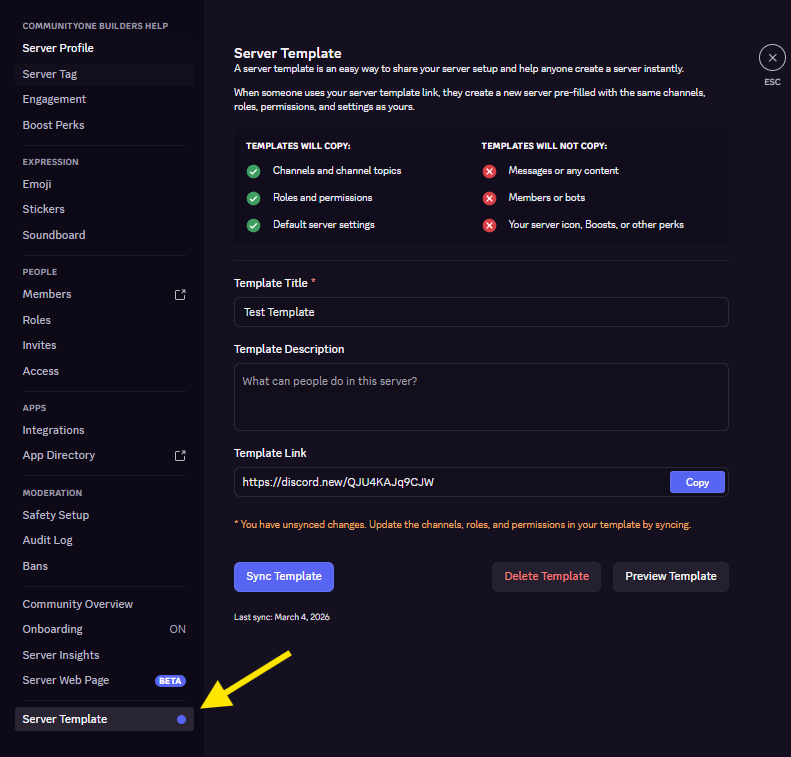
The best template for your future servers is usually your current one, once it has stabilized. Go to Server Settings, then go to the bottom-most part, and generate a template link from your existing structure. A few things worth doing before you generate it:
- Archive or delete dead channels that accumulated over time so the template starts clean, not cluttered
- Double check permission overwrites on sensitive channels, since these get copied exactly as they are, mistakes included
- Rename anything with inside jokes or references specific to your current community, since those won't make sense in a fresh server
Regenerate the template periodically as your structure evolves. A template snapshot from a year ago will be missing channels and roles you've since come to rely on.
Final Thoughts
Templates are a shortcut for structure, not a shortcut for community. They save the hours you'd otherwise spend rebuilding channels and roles from scratch, but they can't replicate the moderation habits, culture, and relationships that actually make a server work. Use one to skip the tedious setup, then spend the time you saved on the part that matters.