Discord Member Count: Understanding Join, Leave, and Growth Trends
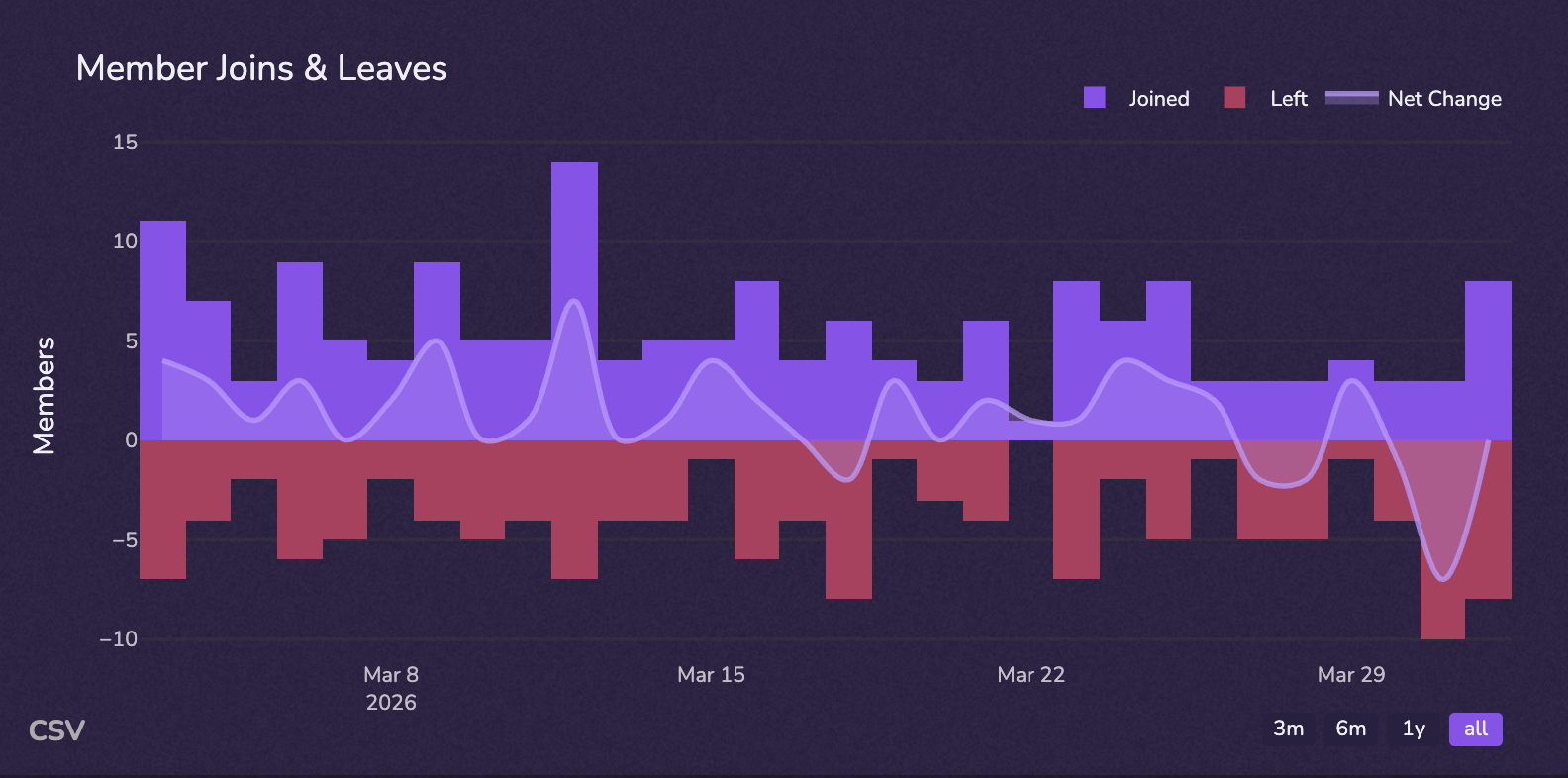
Discord member count is a lagging indicator. By the time you notice a drop, the problem already happened weeks earlier. This guide breaks down what your join and leave data really tells you.

Key Takeaways
- Discord hides offline members once a server reaches 100 users, making the visible member count smaller than the actual total.
- You can find your server's true member count by navigating to Server Settings and then clicking on "Members."
- Member counter bots can automate real-time display of your server's total member count in a channel, acting like a digital scoreboard.
- Discord's built-in server insights dashboard unlocks at 500 members, offering growth analytics for moderators.
TL;DR: Understanding Discord's member count dynamics, including hidden offline users and the benefits of member counter bots, is crucial for effective community management and growth tracking.
See your server's member trends in real time.
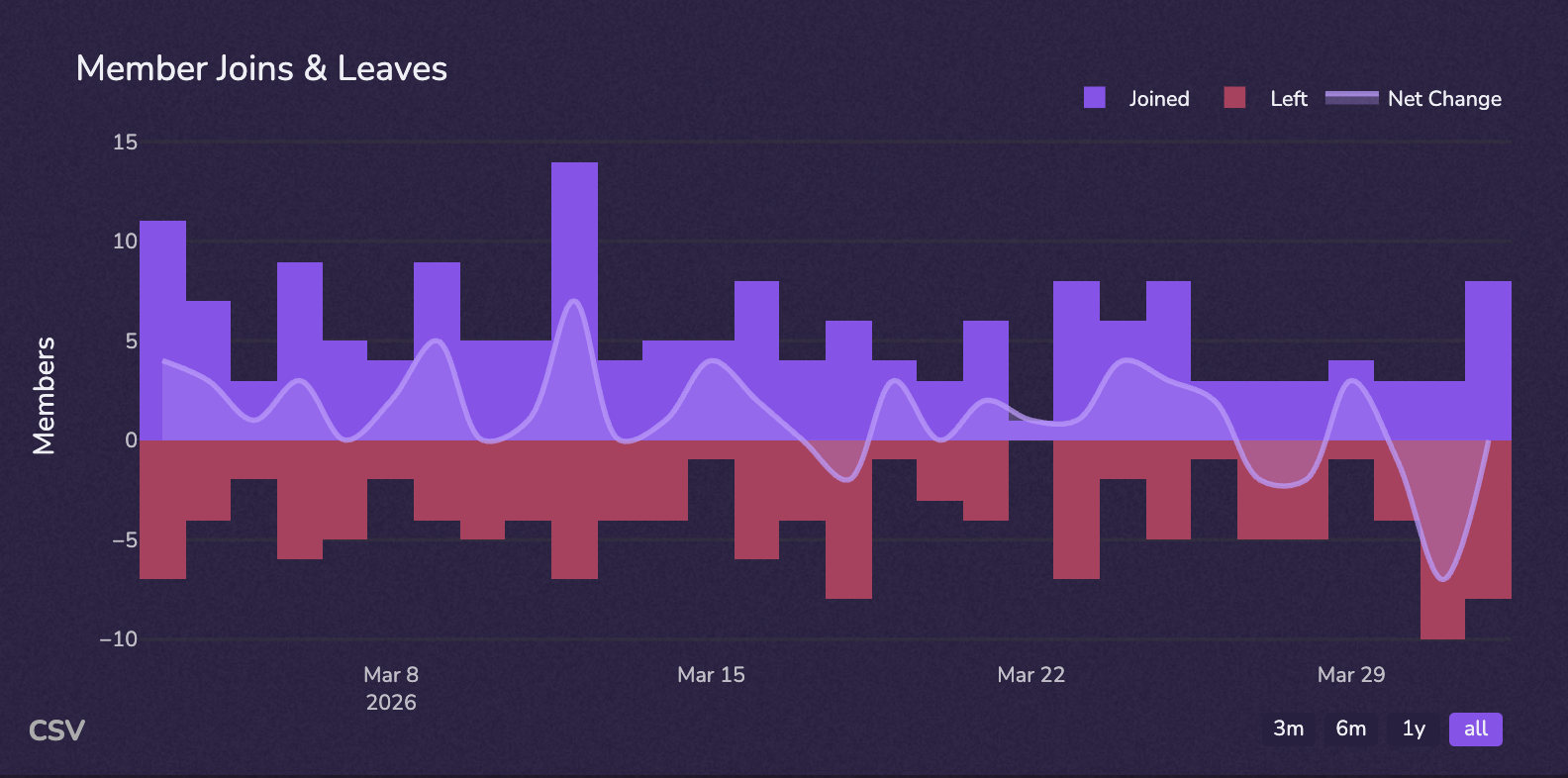
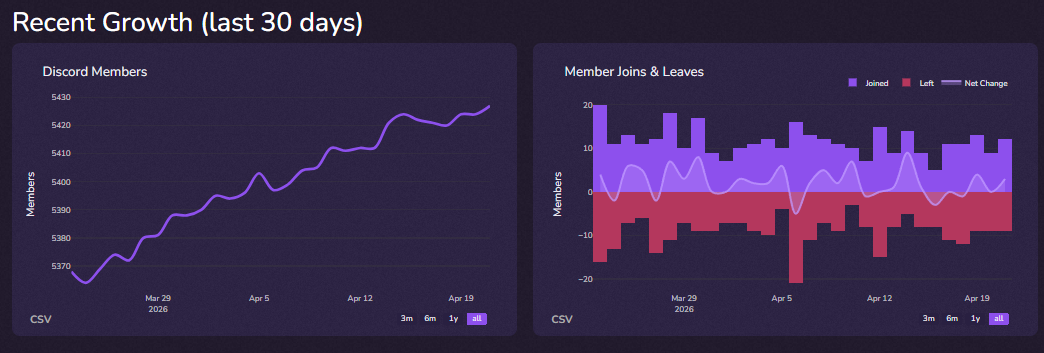
CommunityOne Analytics tracks join and leave patterns day by day — so you can spot churn early and act on it before it compounds.
Understanding Discord Member Count Dynamics
Your Discord member count is a lagging indicator. By the time you notice it dropped, the actual problem — an onboarding gap, a content lull, a stretch of inactive channels — already happened days or weeks earlier. Understanding join and leave patterns in real time gives you the lead time to act. This guide breaks down what your member count data actually means, why the number you see in the sidebar is not the full picture, and how to track what is actually driving your server forward.
Why Does the Member List Look Smaller? Solving the 100-User Mystery
Wondering why is the server size number wrong on your sidebar? Think of Discord like a local club where you normally only see people actively participating (online). Once your community reaches exactly 100 members, Discord automatically hides everyone who is "sleeping" (offline) to prevent screen clutter. This total users vs online status difference means your actual group is often much bigger than the visible list suggests.
Finding your true headcount is easy. To learn how to check server population statistics, simply use these steps:
- Click your server's name at the top-left corner.
- Select "Server Settings" (look for the gear icon).
- Click "Members" on the left menu to view your complete roster.
Now that you can find your hidden totals behind the scenes, you might want to make them permanently visible to your community.
Displaying Real-Time Metrics: Setting Up a Member Counter Bot Scoreboard
Checking settings constantly is tiring. Think of a member counting bot like a digital scoreboard hanging at your club's entrance. Inviting these helpful apps transforms a locked voice channel at the top of your list into a permanent, real-time display. Following any basic setting up server stats bot tutorial reveals they just need standard permissions to safely read your roster without seeing your private messages.
When choosing the best member counter bots for servers, consider these popular options:
- Member Count: Perfect for beginners, creating a simple visual number instantly.
- StatBot: Offers robust history charts to track exactly when users join.
Once authorized, these tools seamlessly automate audience size updates in channels, ending manual counting forever. As your space expands rapidly, your management needs will naturally evolve alongside your growing audience, requiring new privacy and insight tools.
Managing High-Capacity Growth: Insights and Privacy for Large Communities
Hitting 500 members unlocks exciting server insights dashboard features, providing built-in growth analytics for community moderators. As your digital club scales massively, Discord's system limits automatically change how your rosters load to keep everything running smoothly. To protect this larger audience, you can start hiding user list for privacy settings inside your channel permissions. Knowing these helpful tools ensures your space stays safe and organized as you plan your long-term growth roadmap.
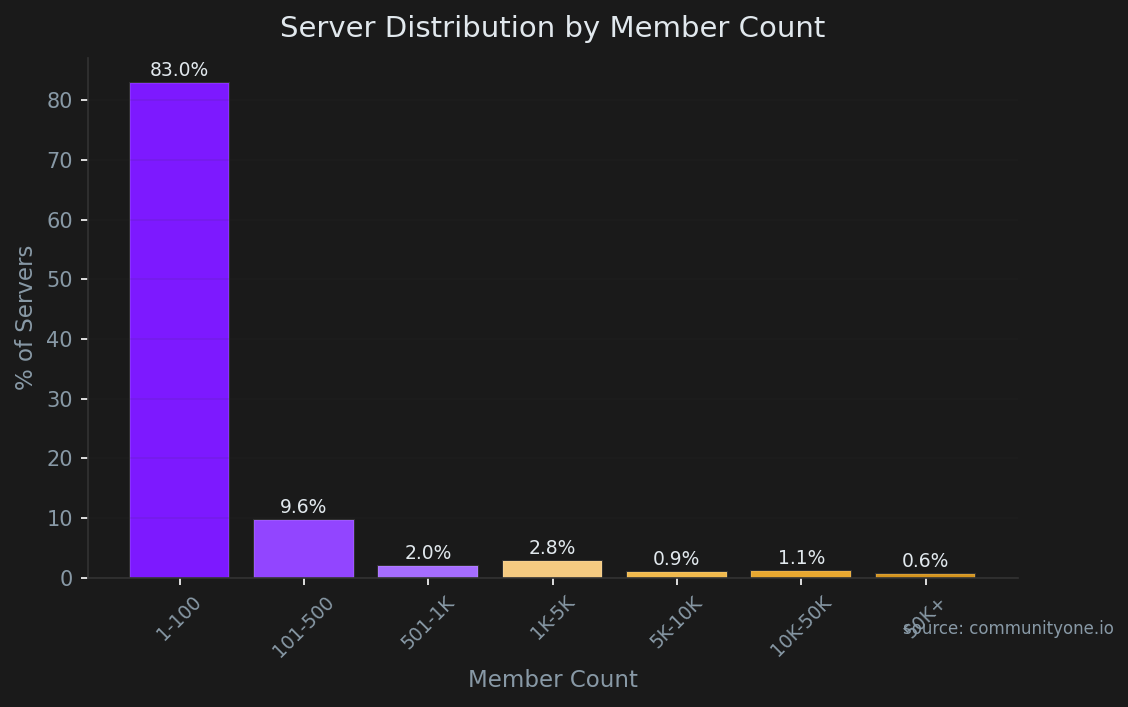
Reaching 500 members is a significant milestone because it unlocks Discord's native Server Insights dashboard. Based on our database of opted-in communities, 86% of servers have fewer than 500 members. Crossing this threshold effectively puts your community in the upper echelon of active servers. At this stage, relying on robust analytics tools becomes critical for tracking long-term retention and managing channel privacy at scale.
Your Community Growth Roadmap: Keeping Track as You Scale
Your member count is a starting point, not a destination. The servers that grow consistently are not the ones checking their numbers most often — they are the ones who understand what those numbers mean. Join rates, leave rates, and the gap between them tell the real story of your community's health. CommunityOne Analytics tracks all of it in one dashboard, so you always know what is driving growth and what is driving churn. Start tracking free at communityone.io.
As your server expands, organic discovery becomes your strongest growth engine. Listing your community on public directories is a proven strategy to attract users actively searching for your niche. Our data shows that the gaming (19% of servers) category currently dominates the public listing space. To stand out in these competitive categories, optimizing your server profile on listing sites is just as important as tracking your internal member metrics.